 1 / 3
1 / 3About
Overview
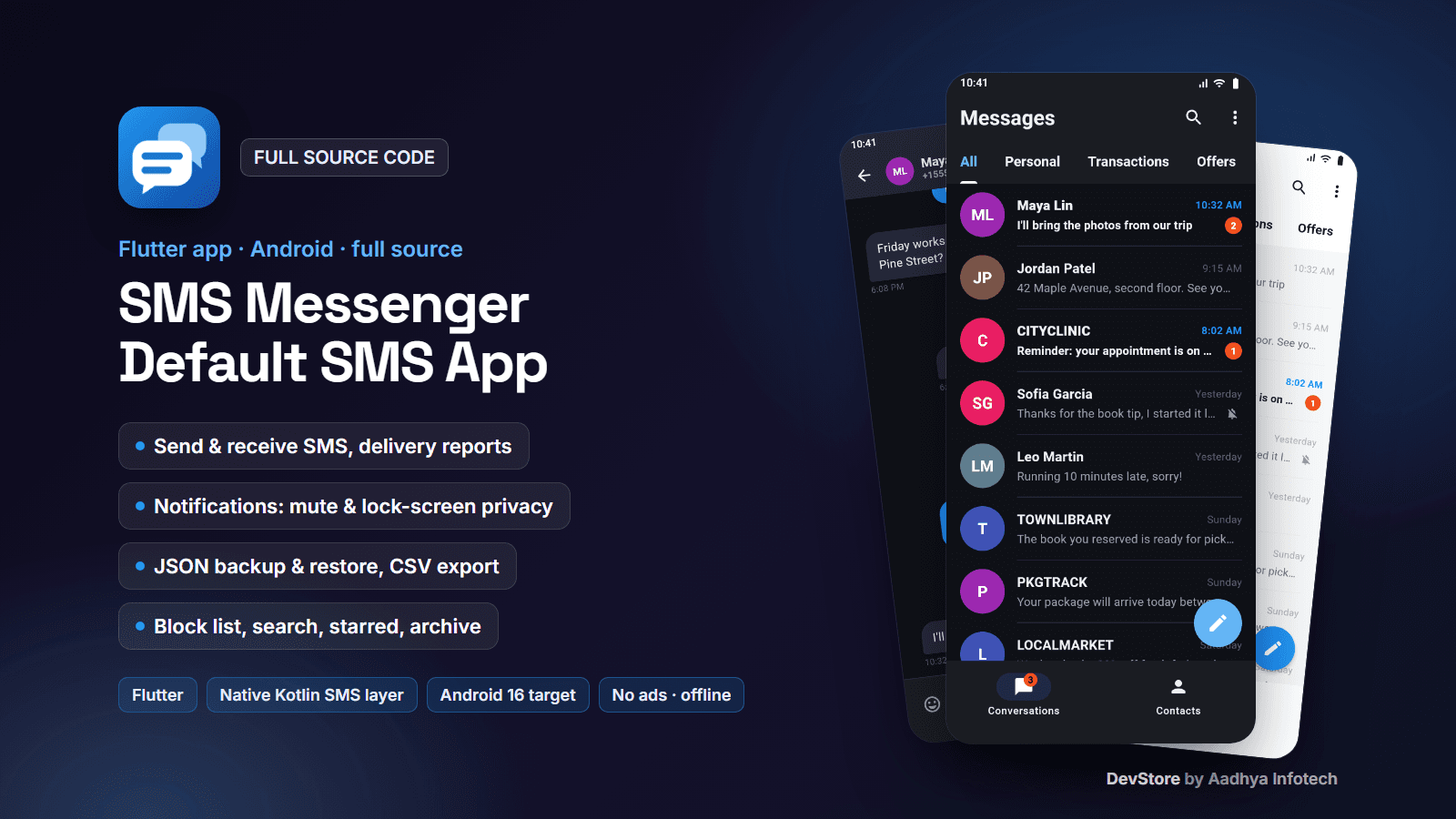
SMS Messenger is a complete SMS app for Android with a Flutter user interface and a small native Kotlin layer that works directly with Android's SMS database. It becomes the phone's default SMS app: it shows every conversation stored on the phone, sends and receives SMS (long texts are split automatically), shows sent, delivered and failed status from the network's delivery reports, posts notifications with mute, vibration and lock-screen privacy options, and includes search, starred messages, archive, a block list, JSON backup & restore, CSV export, an emoji picker, inbox tabs and dark / light themes.
Everything stays on the phone: no backend, no account, no ads, no analytics and no internet permission in release builds. The project targets Android 16 (API 36), builds with Flutter 3.47 and Flutter's current Android toolchain (AGP 9.1, Kotlin 2.4, Gradle 9.3), and comes with 38 Dart tests and Kotlin unit tests. Android only: iOS does not allow third-party SMS apps.
Key features
Conversations
- All SMS conversations on the phone with contact names, last message, time, unread badges and a total unread count
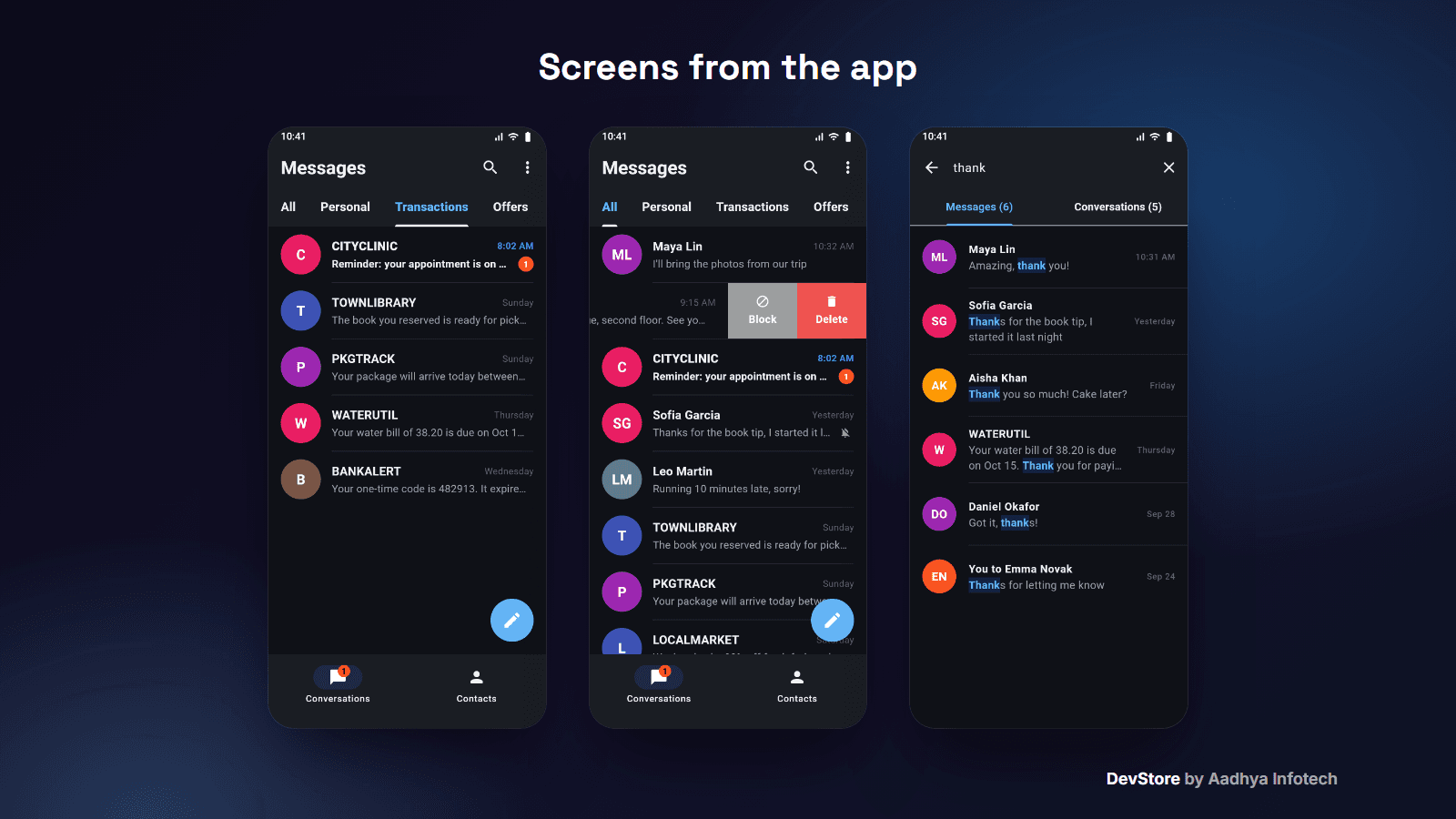
- Inbox tabs: All, Personal, Transactions, Offers (simple keyword rules you can change)
- Swipe actions: mute, archive, block, delete (also on long-press); archived conversations return when a new message arrives
- Search in the text of all messages and in conversation names and numbers, with highlighted matches
- Contacts tab: tap a contact to write to them
Chat
- Message bubbles with date separators and status ticks: sending, sent, delivered (delivery report), failed with Send again
- SMS of any length, emoji picker, call button
- Long-press a message: copy, star, forward, delete
- New message to contacts or typed numbers; several recipients receive the text as separate SMS
- Conversation info and CSV export of one conversation
Default SMS app (native Kotlin)
- Asks for Android's default SMS app role first (RoleManager on Android 10+), as Google Play requires
- Stores incoming and sent SMS in Android's SMS database and updates sent / failed / delivered status
- Notifications: on/off, vibration, lock-screen content (sender and message, sender only, nothing), mute per conversation; a tap opens the conversation
- Block list: messages from blocked numbers are not stored and do not notify
- Quick replies when rejecting a call, sms: / smsto: links and shared text open a new message
Backup & export
- Backup of every SMS to one JSON file: save it with the system "save as" screen or share it to Drive or e-mail
- Restore into the phone's SMS database with duplicate detection (restoring twice is safe)
- CSV export of all conversations, one conversation or the block list
App
- Onboarding, default-SMS-app screen, settings (theme, notifications, lock screen, backup, block list, privacy policy link, rate the app, version)
- Dark (default) and light theme, Material 3; original launcher icon (adaptive, themed and legacy) drawn by an included script
What's included
- Full Flutter project for Android: 33 Dart files and 7 Kotlin files (about 7,200 lines, plus about 900 lines of tests)
- Tests: 38 Dart unit and widget tests with an in-memory SMS provider (backup format, number matching, method-channel contract, app logic, screens) and JVM unit tests for the Kotlin helpers
- Detailed README: architecture, setup, rebranding, the Google Play SMS permissions policy, the Permissions Declaration Form, Data safety, backup format, signing, a device test checklist, troubleshooting and known limitations
- keystore.properties.example for release signing (debug-key fallback so it builds out of the box)
- CHANGELOG and commercial LICENSE
Tech stack
- Flutter 3.47 (Dart 3.13), Material 3, Provider
- Native Kotlin SMS layer: SmsManager, the Telephony provider, RoleManager, broadcast receivers (no third-party SMS plugin)
- sqflite, shared_preferences, flutter_contacts, permission_handler, flutter_slidable, emoji_picker_flutter, share_plus, file_picker, url_launcher
- Android Gradle Plugin 9.1.0, Kotlin 2.4.0, Gradle 9.3.1, minSdk 24 (Android 7.0), targetSdk 36
Requirements
- Flutter 3.47 or newer, Android Studio with Android SDK 36, JDK 17+
- An Android phone with a SIM card to test SMS
- For publishing: a Google Play developer account, a privacy policy page and the SMS Permissions Declaration (see the README)
Setup in minutes
- 1. Run flutter pub get and flutter run on your phone, then set the app as the default SMS app
- 2. Change the application id, app name, colours and icon (one script redraws the icon)
- 3. Set your privacy policy URL in lib/config/app_config.dart
- 4. Add your keystore to android/keystore.properties and run flutter build appbundle --release
- 5. Fill in the Play Console SMS Permissions Declaration (step-by-step notes in the README)
Monetization (ads/IAP)
None included. The app has no ads and no in-app purchases (it was built ad-free). You can add your own; the README explains what changes in the Data safety form and privacy policy.
Support & updates
Support is provided through the Aadhya Infotech DevStore: https://www.aadhya-infotech.com/DevStore/contact. Bug-fix updates for this package are published on the DevStore. Please note: MMS is not supported (no picture or group messages; while this app is the default SMS app, an incoming MMS cannot be downloaded and the user sees a notice instead), there is no dual-SIM picker and no scheduled messages; Google Play allows SMS permissions only for default SMS apps and reviews every app through the Permissions Declaration Form, so approval is decided by Google; the native SMS code is compiled and unit-tested but was not tested on a physical phone by us (a device checklist is in the README); the app is Android only; the screenshots show the real app screens with fictional sample conversations. All of this is documented in the README.
Release history
- v1.1.010/6/2026
SMS Messenger v1.1.0: first source release; native Kotlin SMS layer (incoming SMS stored as default app, sent/delivered/failed status, multipart, quick replies), real JSON backup & restore, fake MMS sending removed, Play-compliant default-SMS-app flow, Flutter 3.47 build fix (AGP 9.1 / Kotlin 2.4), original icon, tests. See CHANGELOG.md.