 1 / 3
1 / 3About
Overview
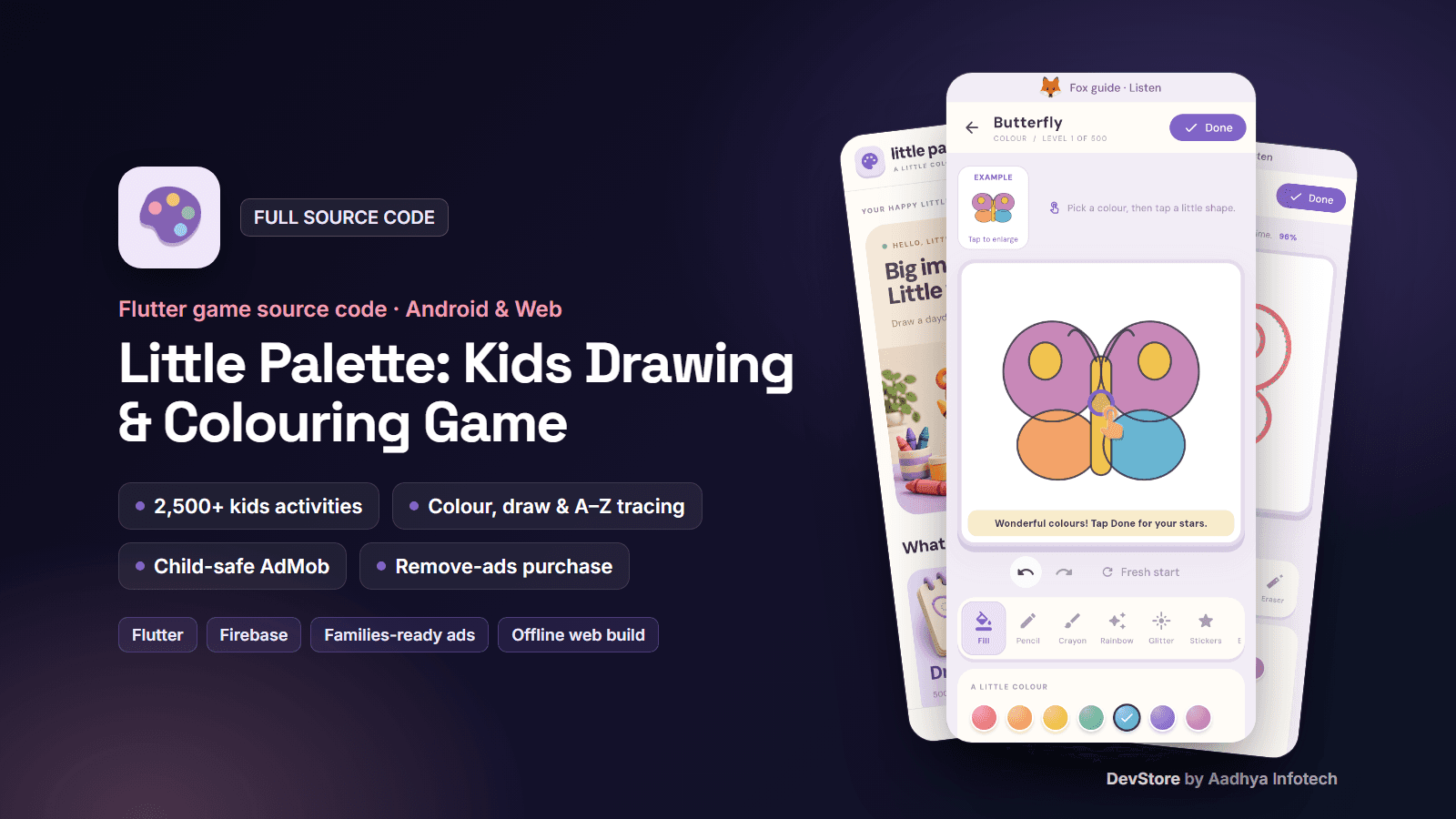
Little Palette is a complete, original Flutter drawing, colouring and early-learning game for young children. It contains 500 colouring pictures, 500 dot-to-dot drawing pictures, 1,500 learning puzzles, A–Z and 0–9 tracing, a sticker-reward garden and an animated gallery. The Android app is monetised with child-safe AdMob interstitials (child-directed, non-personalised, rated G) and a one-time Remove ads purchase behind a grown-up gate. A browser build with offline support comes from the same code. All artwork is original and every asset is cleared for commercial use.
Key features
Colour & draw (1,000 pictures)
- 500 colouring pictures (50 original subjects in 10 scene compositions) with category filters, search, favourites and 25-level pages
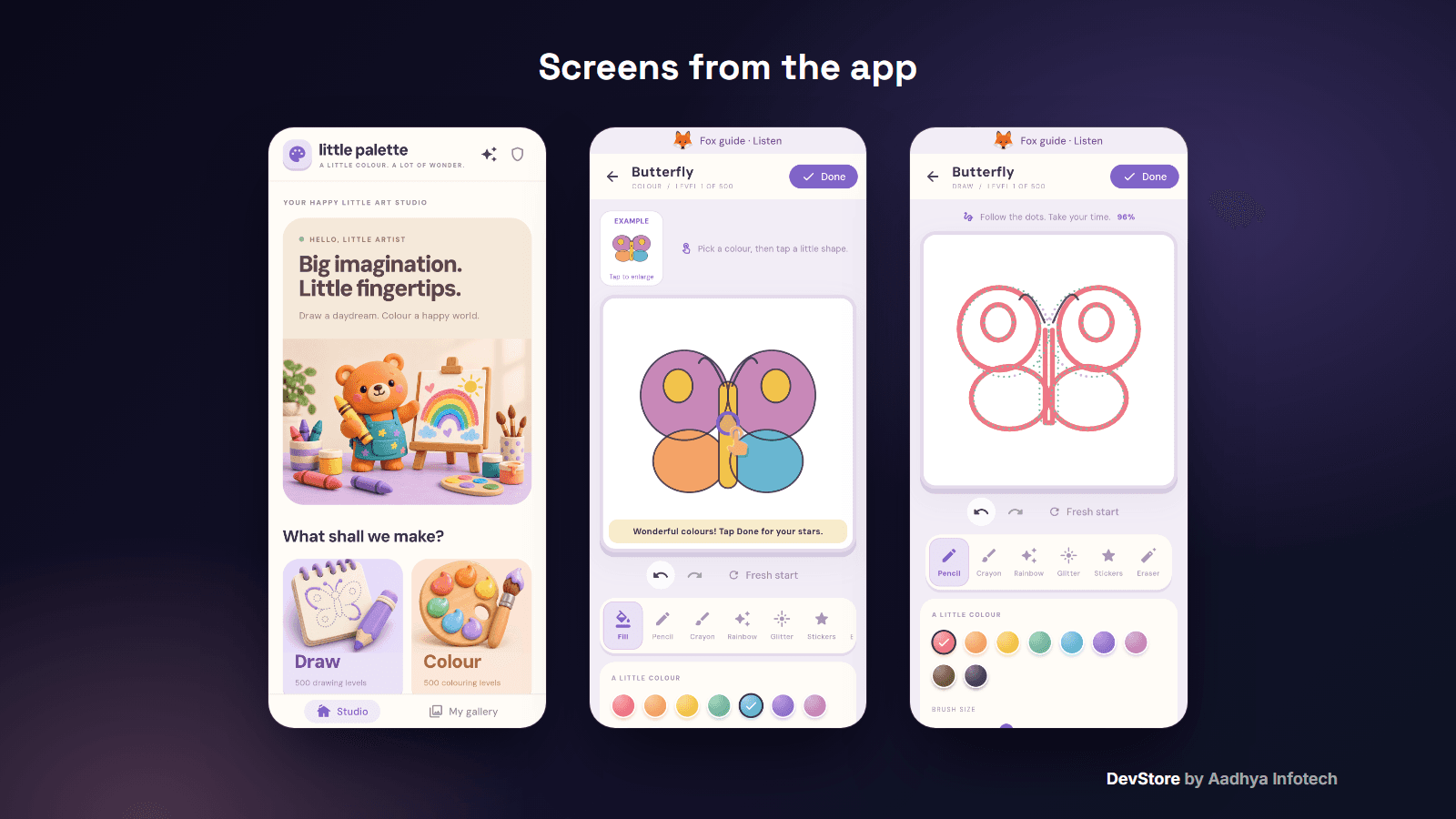
- Region-aware tap-to-fill, pencil, textured crayon, rainbow and glitter brushes, brush size, eraser and 8 resizable stickers
- A coloured example for every picture, optional Colour by number, undo/redo, Fresh start and autosave
- 500 dot-to-dot tracing pictures with live “% traced” progress, plus a free-drawing canvas
- 1–3 earned stars and a confetti celebration; Save picture exports a 1600 × 1600 PNG
Early learning (1,536 activities)
- Shapes, Colours and Mini Puzzles (patterns, counting, biggest/smallest): 500 levels each, best stars saved
- ABC tracing (26 letters) and Number tracing (0–9) with ordered strokes, golden start dot and resumable drafts
- “Show me” hints and an animated helping hand after 7 idle seconds
- Fox guide: spoken instructions in English, Gujarati or Hindi (device text-to-speech)
Rewards & family
- Sticker garden: 24 stickers earned by completing activities, placed in 12 garden spots
- My gallery with editable saved pictures and Make it move animations (Dance, Float, Drive, Flutter)
- Daily picture, responsive phone/tablet/desktop layouts, screen-reader labels and reduced-motion support
- Parent corner behind an arithmetic grown-up gate: progress, guide language, voice, chime, animations, a break reminder, ad information, privacy choices, Remove ads and Restore purchases
- Works offline on Android; the web build precaches itself for offline play
What's included
- Full Flutter source code (about 9,000 lines of Dart) for Android and Web
- 118 unit and widget tests, a level validator and the tool that generates the completion chime
- README with a step-by-step guide: rebranding, Firebase, child-directed AdMob, Google Play Families Policy & COPPA checklist, Remove ads IAP, Remote Config, signing, web build and troubleshooting
- Privacy policy template, Remote Config template (ads_service), key.properties signing template, asset provenance list, LICENSE and CHANGELOG
- All secrets replaced with placeholders; it builds out of the box with Google test ad IDs and a debug-key fallback
Tech stack
- Flutter 3.47+ / Dart 3.13 (tested on Flutter 3.47.4), ChangeNotifier + shared_preferences
- Ads: google_mobile_ads 8.0 (AdMob + UMP); IAP: in_app_purchase (Google Play Billing)
- Firebase: Core, Analytics, Crashlytics, Remote Config (Android only)
- flutter_tts, audioplayers, share_plus; bundled DM Sans and Noto Color Emoji fonts (SIL OFL)
- Android: AGP 9.1, Kotlin 2.4, Gradle 9.3, Java 17, Flutter default min/target SDK
Requirements
- Flutter SDK 3.47 or newer, Android Studio or VS Code, JDK 17
- Your own Firebase project (optional to run) and AdMob account; a Google Play Console account for the Remove ads product
- No iOS project is included (Android and Web only)
Setup in minutes
- Run flutter pub get, then flutter run -d chrome to try it immediately
- Run flutterfire configure to connect your Firebase project
- Change the package id, app name and icon (README section 7)
- Add your AdMob App ID and interstitial unit, publish the ads_service Remote Config parameter and create the remove_ads product
- Add your keystore to android/key.properties and run flutter build appbundle --release with your ad IDs
Monetization (ads/IAP)
- Child-safe AdMob interstitial only at a natural break (after the child taps Next on a finished activity): never during play, never in the first activities, frequency cap and cooldown
- Every request is child-directed (COPPA), under the age of consent, rated G and non-personalised; the advertising-ID and Privacy Sandbox permissions are removed
- A release guard blocks release builds until real AdMob IDs are supplied, so test ads never ship by mistake
- Frequency remote-controlled with Firebase Remote Config; ad and purchase revenue logged to Firebase Analytics
- Remove ads one-time purchase with restore, offered only behind the grown-up gate
Support & updates
Support is provided through the Aadhya Infotech DevStore: https://www.aadhya-infotech.com/DevStore/contact. Bug-fix updates for this package are published on the DevStore. This is a children's app: you are responsible for completing Google Play's Families Policy, Data safety and privacy-policy requirements for the app you publish (the README includes a checklist).
Release history
- v0.11.010/3/2026
Little Palette v0.11.0: first full source code release (500 colouring + 500 drawing pictures, 1,536 learning activities, child-safe AdMob, Remove ads IAP). See CHANGELOG.md in the package.