 1 / 3
1 / 3About
Overview
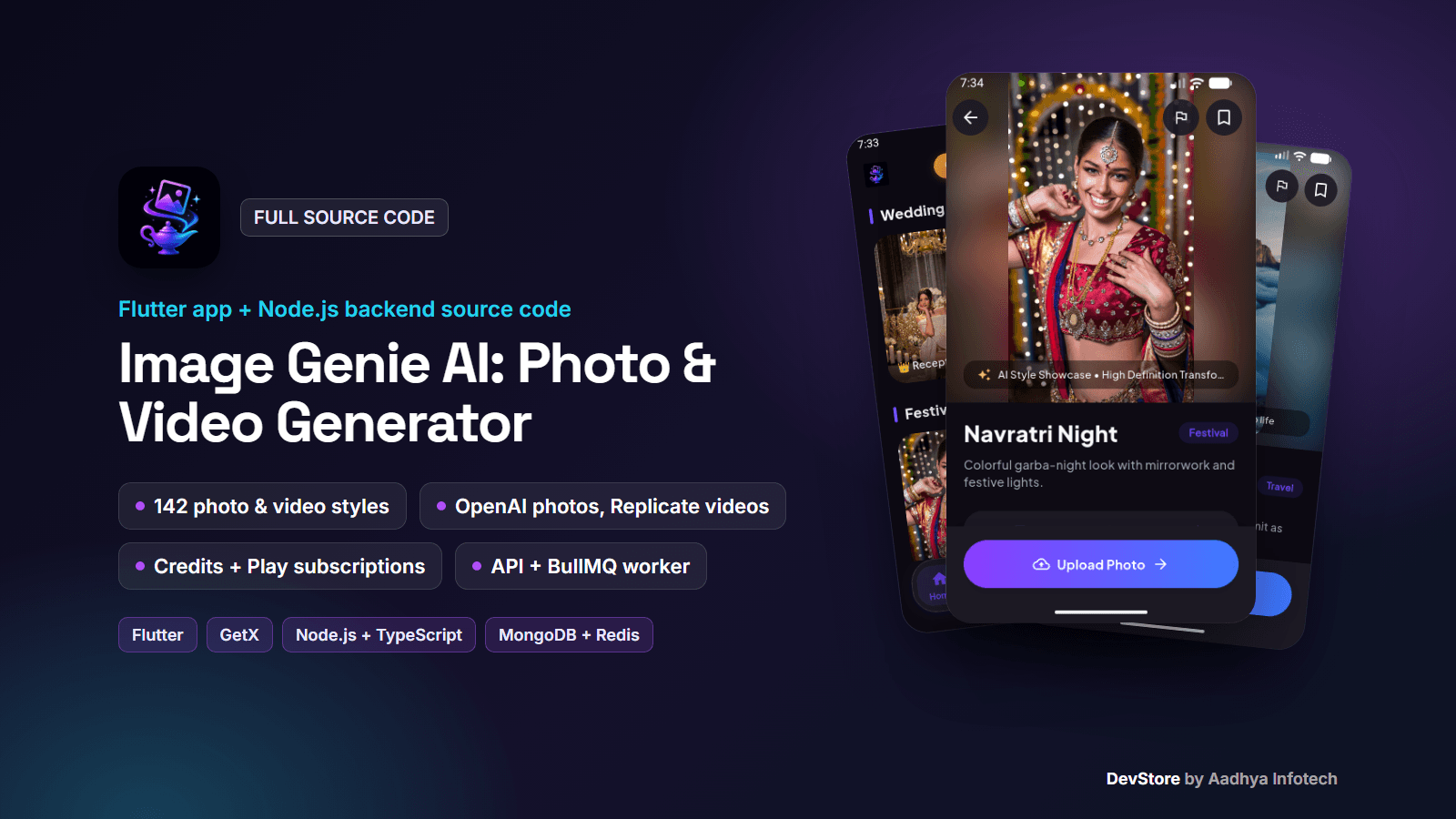
Image Genie AI is a complete AI photo and video generator: a Flutter mobile app (Android, with an iOS project) plus its own Node.js + TypeScript backend (Express API, MongoDB, a Redis/BullMQ video worker and S3 storage). Users pick one of 142 ready-made styles (88 photo and 54 video styles in 13 categories), upload a selfie and get a restyled AI portrait or a short animated video. Photos are generated with the OpenAI Images API (gpt-image-1 edits of the user's photo, DALL·E 3 for text-only prompts); videos with Replicate image-to-video models (ByteDance Seedance 1 Lite by default, Kling 2.5 Turbo Pro or Google Veo 3 as optional tiers). Generation is paid with credits from a free signup grant and Google Play subscriptions. This is the same code base as a live Google Play app, cleaned and documented so you can rebrand it, run your own backend and publish.
Key features
AI photos and videos
- 142 templates in 13 categories (Trending, Cinematic, Business, Lifestyle, Travel, Festival, Wedding, Traditional, Seasons, Anime, 3D Toys, Fantasy, Creative). Prompts are stored on the server, so you can add or edit styles without an app update
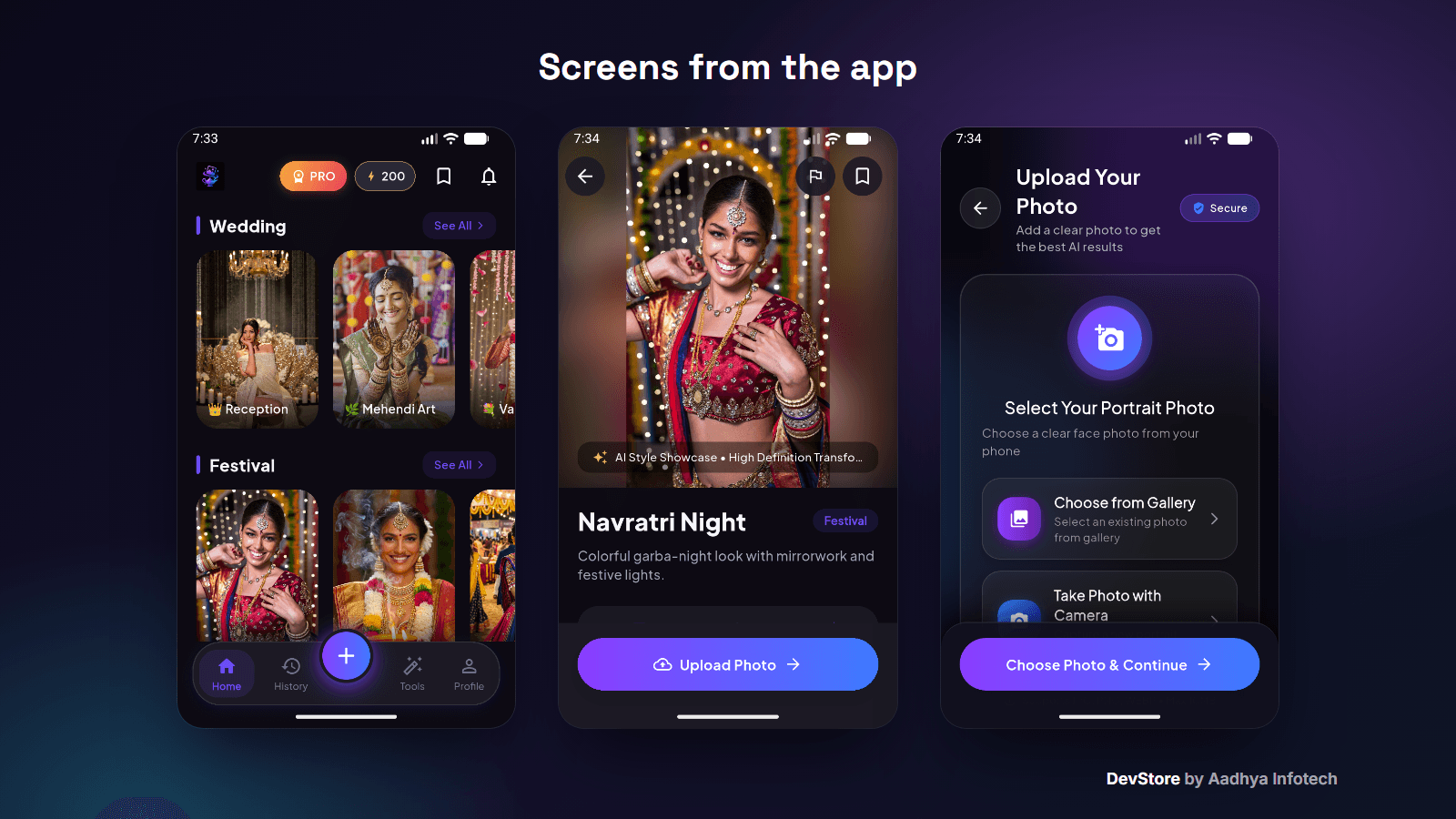
- Photo generation from the user's photo (gallery or camera) with a progress screen, result screen, save to gallery, share and report
- Image-to-video as an asynchronous job: submit, poll, looping player, save and share, plus a push notification when the video is ready
- AI Creation Studio: "Create Image" from a free prompt with an optional reference photo and a prompt enhancer
- Tools: face enhancer, background remover, colorizer and passport photo (prompt-based edits with gpt-image-1)
- Built-in photo editor (crop, filters, text and more) and video editor (trim, filters, layers, export) for gallery media
App experience
- Google sign-in (Android and iOS) and Sign in with Apple (iOS) through Firebase Auth, or browse first with "Skip for now"
- Language picker, onboarding, home with category sections, search, bookmarks, history and a notifications screen
- Paywall with plans from Firebase Remote Config and prices from Google Play, a credit counter and credit gates
- Profile with plan and credits, biometric app lock, rate app, terms, privacy, logout and account deletion
- Light and dark theme, in-app review, in-app update, Firebase Analytics, Crashlytics and FCM push notifications
- Content safety: server prompt check, safety prompt suffixes, a client keyword filter and a Report button (Firestore + API) for Google Play's AI-generated content policy
Production backend
- Express API with zod validation, helmet, CORS, Redis rate limits, pino logs, Prometheus metrics, health and readiness probes
- Firebase ID-token verification, then the API's own JWT access and refresh tokens (rotation, logout revocation)
- Credit system: subscription and extra-credit buckets, atomic deduction before any AI work, automatic refunds on failure
- Video pipeline: BullMQ queue and worker, Replicate submit and poll with retries and a circuit breaker, optional signed webhooks, idempotency keys, a daily per-user cap, cost recorded per job, output mirrored to your S3 bucket
- MongoDB migrations, template seeding, a store-reviewer access script, 109 automated tests, Dockerfile, docker-compose and pm2 config
What's included
- Full Flutter source code (GetX feature modules, services, models, theme, tests)
- Full backend source code (TypeScript): API, worker, migrations, seed and maintenance scripts, 109 tests
- .env.example listing every variable the backend reads, with placeholders and notes
- Dockerfile, docker-compose.yml (API, worker, MongoDB, Redis) and ecosystem.config.js for pm2
- README with the full setup: MongoDB, Redis, S3, AI keys, the worker, Firebase, Remote Config, Play Billing, pointing the app at your backend, signing, iOS, deployment and troubleshooting
- Signing template (key.properties.example) with a debug-key fallback, LICENSE and CHANGELOG
- All secrets, server addresses and personal data replaced with placeholders
Tech stack
- Mobile: Flutter (Dart 3.12+, tested on Flutter 3.47.4), GetX, dio, Firebase (Auth, Remote Config, Firestore, Messaging, Analytics, Crashlytics), in_app_purchase, google_sign_in, sign_in_with_apple, local_auth, pro_image_editor, pro_video_editor, video_player
- Android: AGP 9.0.1, Kotlin 2.3.20, Gradle 9.1, Java 17, compile and target SDK 36
- iOS: deployment target 15.0 (project included; the live app is published on Android)
- Backend: Node.js 20+, TypeScript, Express 4, MongoDB (Mongoose, migrate-mongo), Redis (ioredis, BullMQ), AWS SDK v3 (any S3-compatible storage), firebase-admin, OpenAI SDK, zod, pino, prom-client, Vitest
- AI: OpenAI gpt-image-1 and DALL·E 3 (photos); Replicate Seedance 1 Lite, Kling 2.5 Turbo Pro and Google Veo 3 (videos)
Requirements
- Flutter SDK, Android Studio or VS Code, JDK 17 (Xcode and CocoaPods for iOS)
- Node.js 20+, MongoDB and Redis (local, Docker or managed) and an S3-compatible bucket
- Your own Firebase project and Google Play developer account
- An OpenAI API key and a Replicate API token with billing enabled. You pay them per generation: about $0.04 per DALL·E 3 image, roughly $0.02 to $0.19 per gpt-image-1 photo depending on quality, and about $0.23 per 5-second video at the default tier ($0.13 economy, $0.35 premium, about $3.20 for an 8-second Veo 3 video)
- A server with Docker or Node + pm2, and a domain with HTTPS
Setup in minutes
- Start MongoDB and Redis with docker compose up -d mongo redis
- Copy .env.example to .env, add your Firebase project id and AI keys, then run npm install, npm run migrate:up, npm run seed and npm run dev
- Run flutterfire configure in the app, enable Google sign-in and add the Remote Config parameters
- Build the app with --dart-define=API_BASE_URL=https://api.yourdomain.com/v1
- Deploy the backend with docker compose up -d --build or pm2 start ecosystem.config.js
Monetization (ads/IAP)
- Credits: 20 per photo and 60 per video (configurable); 200 free credits at signup, switchable to 20 with a Remote Config flag
- Google Play subscriptions (weekly, monthly and yearly base plans) through in_app_purchase. Plan credits, names and badges come from Remote Config, prices from Google Play
- Important: server-side receipt verification is a stub. Purchases are granted only in development mode; before publishing you must add Google Play Developer API (or RevenueCat) verification. The README explains how
- A credit-pack screen is included, but no store purchase is wired for packs yet
- No ads: the app contains no ad SDK
Support & updates
Support is provided through the Aadhya Infotech DevStore: https://www.aadhya-infotech.com/DevStore/contact. Bug-fix updates for this package are published on the DevStore. You run your own backend and pay your own OpenAI and Replicate bills; generated content is your responsibility under each store's AI content policy.
Release history
- v1.5.410/3/2026
Image Genie AI v1.5.4: full source code release (Flutter app 1.5.4+33 + Node.js backend). See CHANGELOG.md in the package.