 1 / 3
1 / 3About
Overview
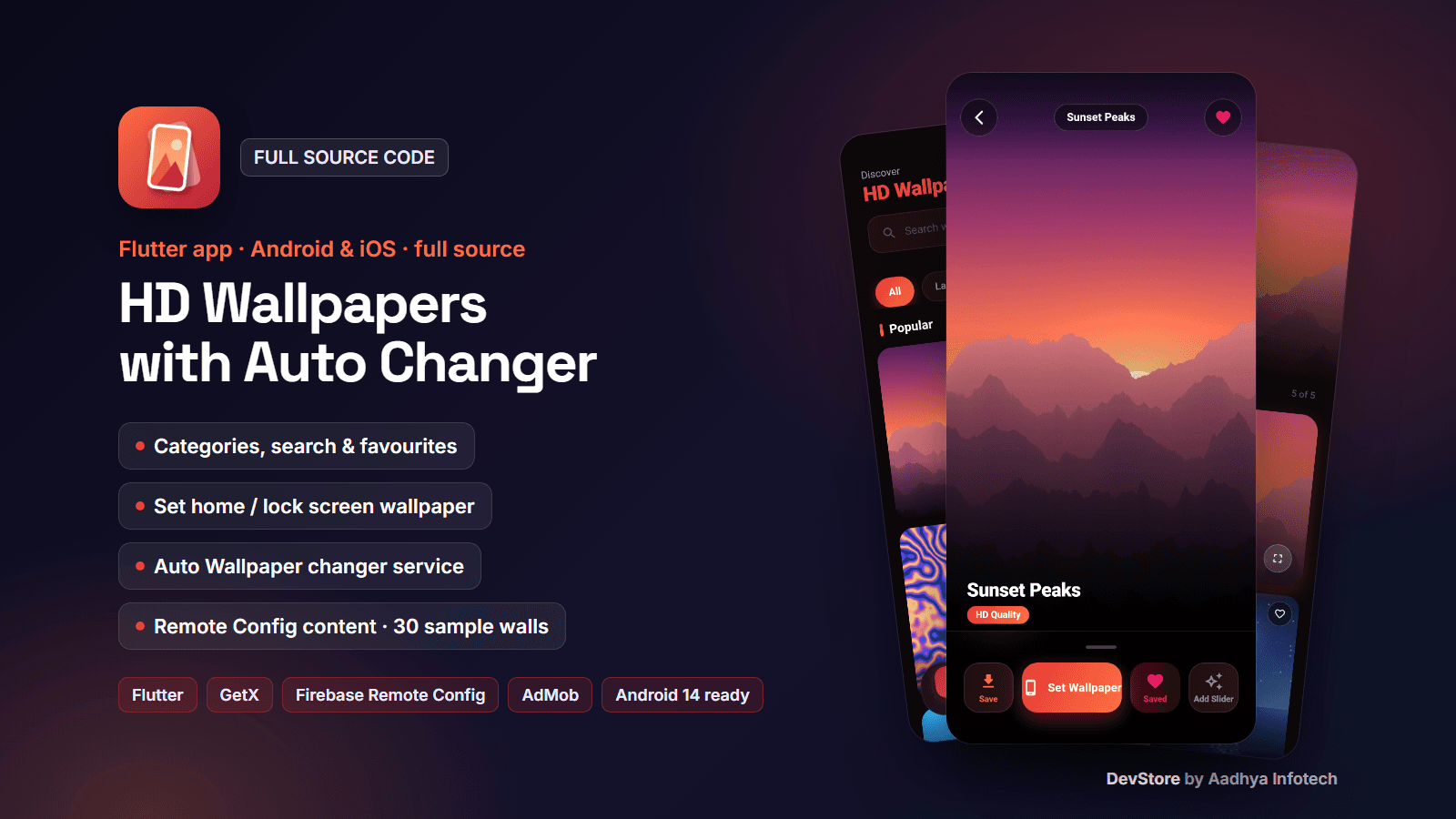
HD Wallpapers is a complete wallpaper app built with Flutter and GetX. Users browse wallpapers by category, search them, open them full screen, set them on the home screen, lock screen or both, save them to the gallery, keep favourites and turn on Auto Wallpaper, an Android foreground service that changes the wallpaper at the interval they choose. All content (categories, wallpapers, ads switch, links, update dialog) comes from Firebase Remote Config, so you update the catalogue without publishing a new version, and you host the images wherever you like (Firebase Storage or any CDN). The project works out of the box: without Firebase it runs on bundled example content with 30 original sample wallpapers in 6 categories. You add your own wallpapers, and you must own or license every image you publish.
Key features
Browse
- Home: search by wallpaper or category name, category chips, a "Popular" grid that loads 12 at a time as you scroll, heart button on every card
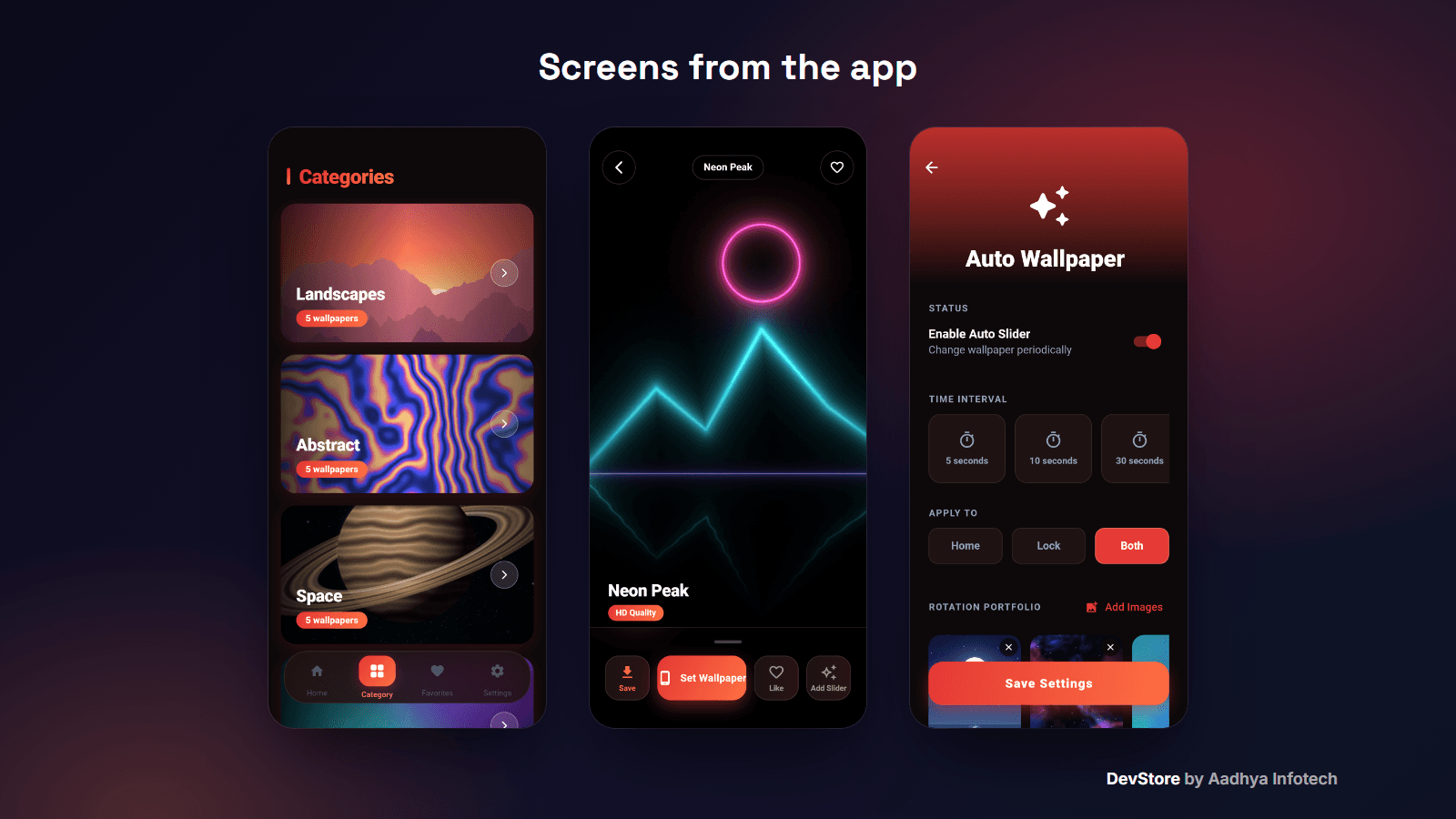
- Categories: cover card with wallpaper count; category screen with parallax header, a featured wallpaper and the grid
- Favourites saved on the device
Wallpaper screen
- Full-screen preview with name, back and favourite buttons
- Set Wallpaper on the home screen, lock screen or both (Android)
- Save to the gallery / Photos, Like, Add to Auto Wallpaper
Auto Wallpaper (Android)
- Choose the wallpapers of a rotation list, an interval from 5 seconds to 1 hour and the target (home, lock or both)
- An Android foreground service applies the next wallpaper at every interval, also when the app is closed, with an ongoing notification; it restarts after a reboot while enabled
- Ready for Android 14+: specialUse foreground-service type with its permission and use-case description, started only when the user turns it on
Content & app
- Five Remote Config keys (categories, popular list, ads, settings, rate link) with a working example JSON for each, a field reference and a Firebase CLI template
- Bundled fallback: the same JSON is used offline, on first launch or without Firebase; images can be https URLs or bundled assets
- Animated splash, 3-page onboarding, dark red theme
- Settings: More Apps, Rate App, Privacy Policy, About, Exit, version; "Update available" dialog driven by Remote Config
What's included
- Full Flutter source code (about 5,000 lines of Dart in 29 files): GetX controllers, content service, background service, screens
- 30 original sample wallpapers (1080 x 2340, procedural art: landscapes, abstract, space, gradients, geometric, AMOLED) and the Python script that generates them
- remote-config/ folder: example JSON for every key, field documentation and a Firebase CLI template
- README with a step-by-step guide: rebranding, hosting your wallpapers (Firebase Storage / CDN) and image rights, Firebase, AdMob, the Google Play foreground-service declaration, signing, iOS notes, limitations and troubleshooting
- Original code-drawn app icon with its generator script, key.properties signing template with a debug-key fallback, unit tests, LICENSE and CHANGELOG; Google test ad IDs only
Tech stack
- Flutter 3.38+ (tested on Flutter 3.47.4), GetX, GetStorage
- Firebase Remote Config and Crashlytics (optional at runtime)
- wallpaper_manager_plus, flutter_background_service, flutter_local_notifications, cached_network_image, flutter_image_gallery_saver, url_launcher
- Ads: google_mobile_ads 7 (rewarded interstitial)
- Android: AGP 8.11, Kotlin 2.2, Gradle 8.14, Java 17, targetSdk 36; iOS: 15.0
Requirements
- Flutter SDK 3.38 or newer, Android Studio or VS Code, JDK 17
- Your own wallpapers and a place to host them (Firebase Storage or any CDN) - you need the rights to every image
- A Firebase project for live content (optional), an AdMob account for real ads; Xcode 16+ and CocoaPods for iOS builds
- No backend server needed
Setup in minutes
- Run flutter pub get and flutter run on an Android phone: it works with the sample wallpapers and Google test ads
- Change the placeholder package id com.yourcompany.wallpapers, the app name and colours, and (optionally) redraw the icon with the included script
- Upload your wallpapers, put their URLs in the example JSON and publish the five Remote Config parameters
- Add google-services.json (Firebase is picked up automatically) and your AdMob app id and ad units
- Add your keystore to android/key.properties and run flutter build appbundle --release
Monetization (ads/IAP)
- AdMob rewarded interstitial before Save and Set Wallpaper, switched on and off from Remote Config; the action continues if no ad is available
- Ad unit IDs for Android and iOS come from Remote Config, so you can change them without an update
- No in-app purchases
Support & updates
Support is provided through the Aadhya Infotech DevStore: https://www.aadhya-infotech.com/DevStore/contact. Bug-fix updates for this package are published on the DevStore. Please note: the package contains sample wallpapers only - you supply (and must hold the rights to) your own images; Auto Wallpaper uses a specialUse foreground service that you must declare in Play Console and that Google may refuse; before using real ads you need to add the AdMob intro screen for rewarded interstitials and a consent (UMP) message, which are not included; iOS cannot set wallpapers (the button saves to Photos and Auto Wallpaper is hidden) and the iOS project was not built or tested by us. All of this is documented in the README.
Release history
- v1.0.010/6/2026
HD Wallpapers v1.0.0: first source release; works without Firebase on 30 bundled sample wallpapers, Remote Config examples, Android 14 foreground-service fix for Auto Wallpaper, working search, analyzer error fixed, original icon, placeholder package id. See CHANGELOG.md.