 1 / 3
1 / 3About
Overview
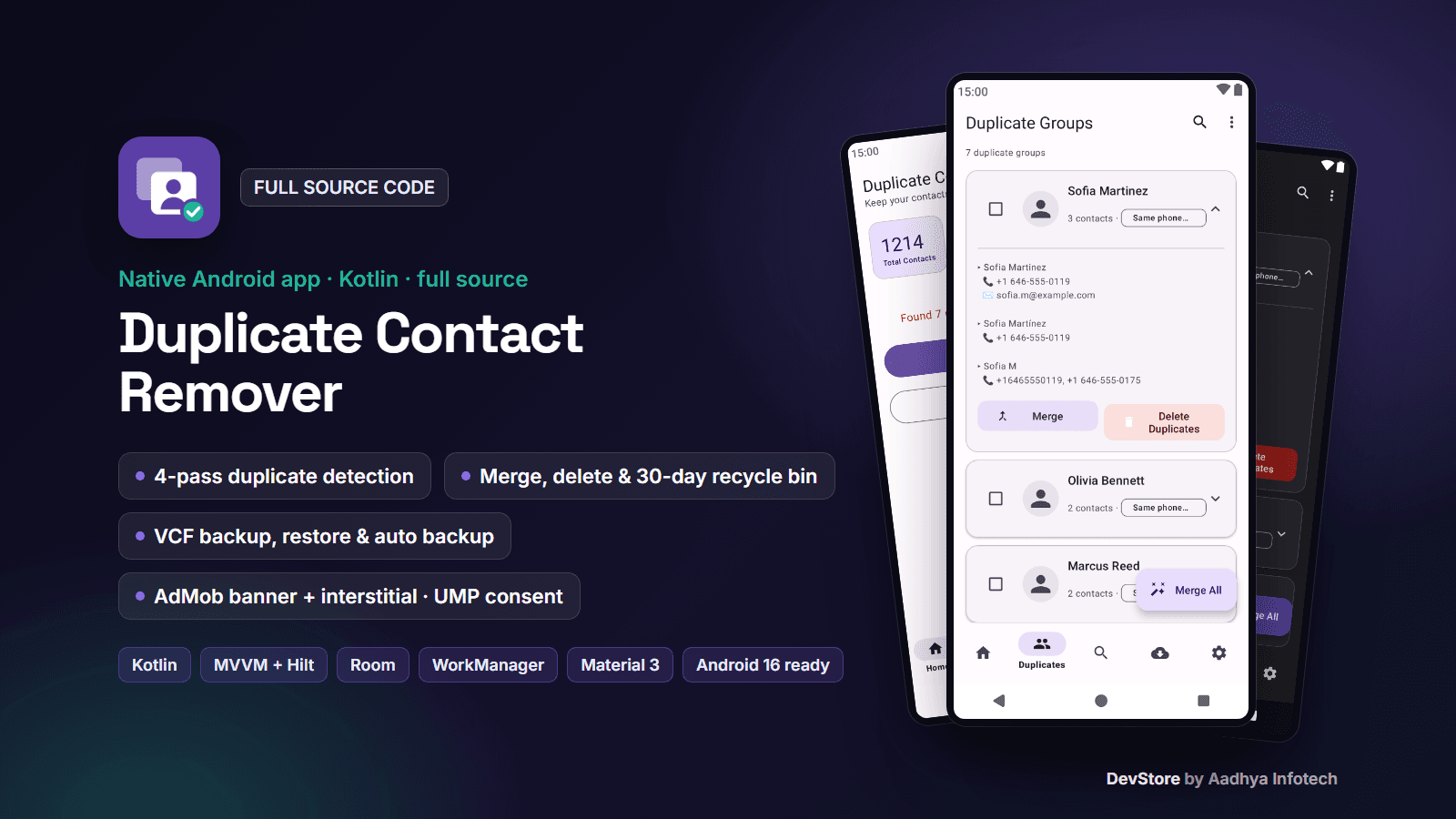
Duplicate Contact Remover is a complete native Android app written in 100% Kotlin with classic XML layouts, Material 3, MVVM, Hilt, Room, DataStore, WorkManager and the Navigation Component. It scans the phone's address book, finds duplicate contacts with a 4-pass detection algorithm and lets users merge or delete them safely, with a VCF backup before deleting, a 30-day recycle bin and undo.
Everything runs on the device: no backend, no login, no Firebase and no analytics SDK. The app is ready to monetize with an AdMob banner and interstitial behind Google's UMP consent flow, and it targets Android 16 (API 36) with the current Android Gradle Plugin 9 / Kotlin 2.3 toolchain.
Key features
Smart duplicate detection
- 4 passes on a Union-Find structure: same phone number, same number in another format (last 10 digits), exact same name, and similar names (Jaro-Winkler) for contacts without numbers
- Reads names, numbers, e-mails, photos and starred state through ContactsContract, with a progress card; results are cached in Room
- Dashboard with total contacts, duplicate groups and an estimated storage saving
Safe clean-up
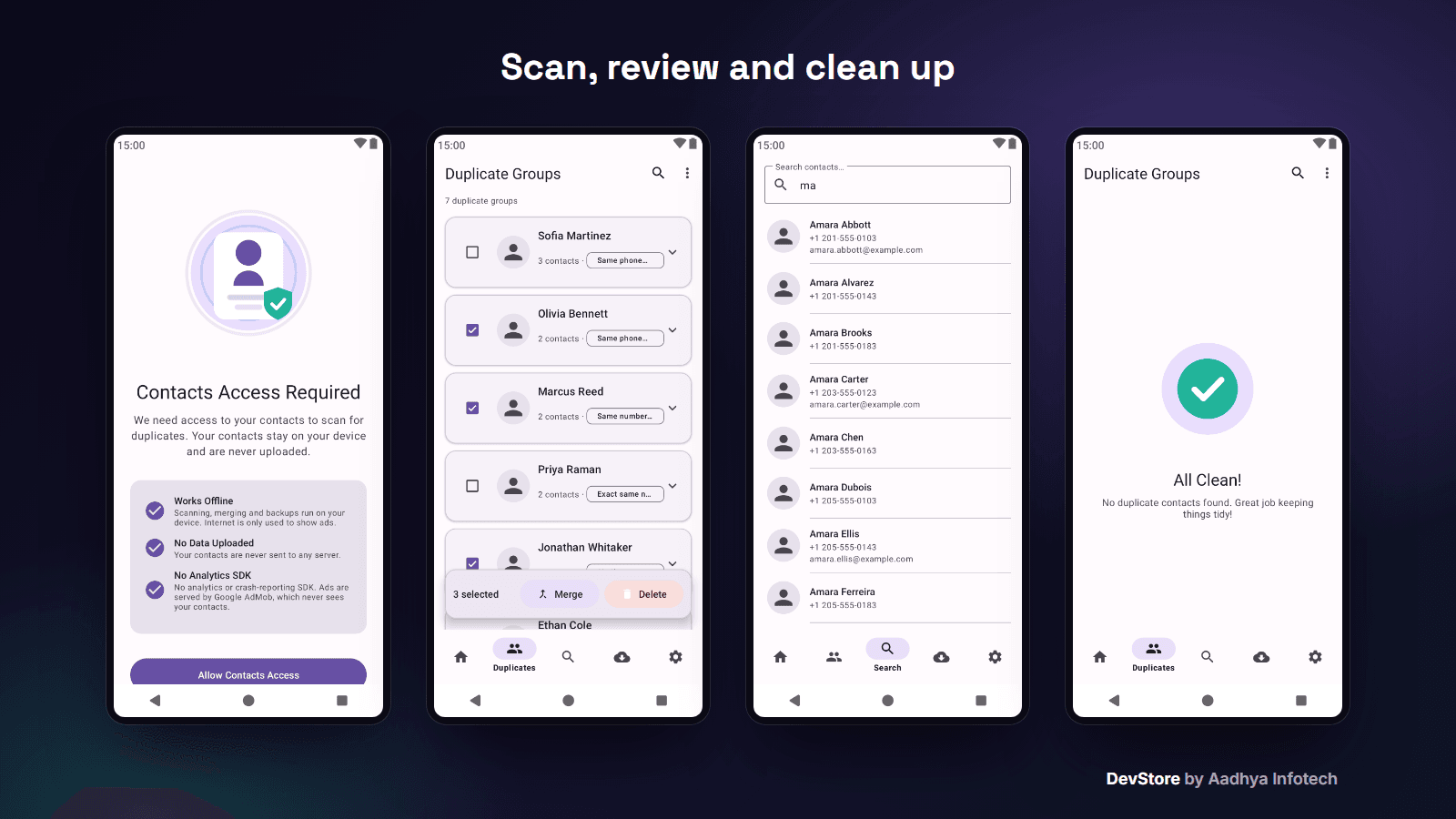
- Expandable duplicate groups with every number and e-mail and the reason for the match
- Merge (unique numbers and e-mails are added to the primary contact), Delete duplicates, multi-select, Select All, search in groups and Merge All
- Automatic backup before delete, a 30-day recycle bin (restore / delete forever / empty) and Undo
Backup and restore
- VCF backup of all contacts (Downloads folder on Android 10+) with share, backup count and last backup time
- Restore from any .vcf file with a preview, an option to skip contacts that already exist, progress and a summary
- Auto Backup (weekly) and Weekly Auto-Scan with notifications (WorkManager + Hilt workers)
App
- Privacy-first permission screen (prominent disclosure) with an original Lottie animation
- Contact search by name or number, dark mode, settings with export, privacy policy link and ad privacy options
- Original launcher icon (adaptive, themed and legacy) and three original Lottie animations
What's included
- Full Android Studio project (Kotlin, Groovy Gradle), 50 Kotlin source files, about 4,400 lines
- Unit tests: duplicate detector, phone normalizer, duplicates ViewModel (MockK + Turbine), ad configuration and the interstitial frequency cap
- Detailed README: setup, rebranding, AdMob and consent, the Google Play Contacts / Data safety notes, signing, troubleshooting and known limitations
- Templates: admob.properties.example, keystore.properties.example and local.properties.example (Google test ad IDs only)
- CHANGELOG and commercial LICENSE
Tech stack
- Kotlin 2.3, Android Gradle Plugin 9.2.1, Gradle 9.4.1, KSP
- XML layouts with View Binding, Material Components (Material 3), Navigation Component + Safe Args
- MVVM with use cases, Hilt, Room 2.8, DataStore, WorkManager, Coroutines + Flow
- Glide, Lottie, Shimmer
- Google Mobile Ads SDK 25, User Messaging Platform 4
- minSdk 24 (Android 7.0), targetSdk / compileSdk 36
Requirements
- A recent Android Studio with AGP 9.2 support, JDK 17+ (the bundled JBR works)
- No Firebase project and no server needed
- For monetization: an AdMob account; for publishing: a Google Play Console account and a privacy policy page
Setup in minutes
- 1. Open the project in Android Studio and press Run (debug builds use Google test ads)
- 2. Change the applicationId, app name, colours and icon
- 3. Put your AdMob App ID and ad unit IDs in admob.properties and create the consent message in AdMob
- 4. Set your privacy policy URL
- 5. Add your keystore to keystore.properties and build a signed AAB
Monetization
Ads: one AdMob anchored adaptive banner above the bottom navigation on the main tabs and one interstitial when the user opens the results after a scan (preloaded, frequency capped). Google's UMP consent message is shown where required, ads are requested only after consent, and users can change their choice in Settings. Ad IDs live in a git-ignored properties file, debug builds always use test IDs, and one switch builds an ad-free version.
In-app purchases: none in this app.
Support and updates
Need help? Contact us through the DevStore support page: https://www.aadhya-infotech.com/DevStore/contact. We can help with setting up the included features. When a new version of the package is released, it is published on this product page.
Please note: this app is not published on Google Play, so there is no live listing to try; the screenshots show the app's real screens with fictional sample contacts. Merge copies phone numbers and e-mails only, and backups / the recycle bin keep name, numbers and e-mails only (other contact fields are not kept). The storage-saved figure is an estimate. English only. All of this is listed in the README.
Release history
- v1.1.010/6/2026
Duplicate Contact Remover (native Kotlin) v1.1.0: first DevStore release with AdMob banner + interstitial and UMP consent, original Lottie animations and icon, Android 16 target and several bug fixes. See CHANGELOG.md in the package.