 1 / 3
1 / 3About
Overview
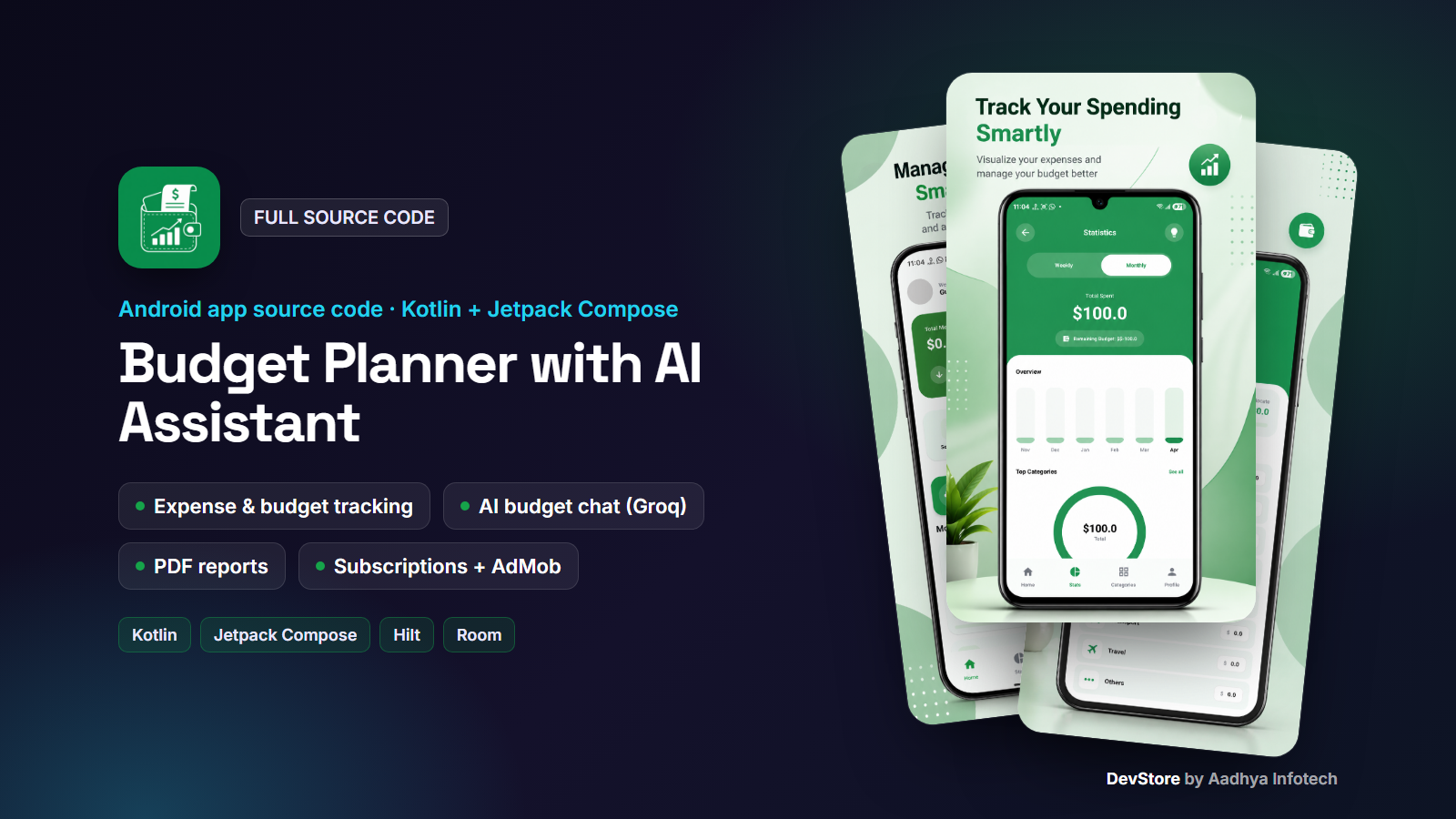
Budget Planner with AI Assistant is a complete, native Android personal-finance app written in 100% Kotlin with Jetpack Compose, Hilt and Room. Users track expenses and income, set monthly budgets per category, analyse their spending with charts and insights, export PDF reports, and get budgeting advice from a built-in AI assistant powered by Groq (Llama 3.3 70B).
The app is ready to monetize. It includes AdMob (app open, interstitial, native and banner ads) with a Meta Audience Network fallback, plus Google Play Billing subscriptions in two tiers. Ad units, paywall plans and the AI key are controlled from Firebase Remote Config, so you can change them without publishing an update. All user data is stored on the device, so no backend server is needed.
Key features
Expense and income tracking
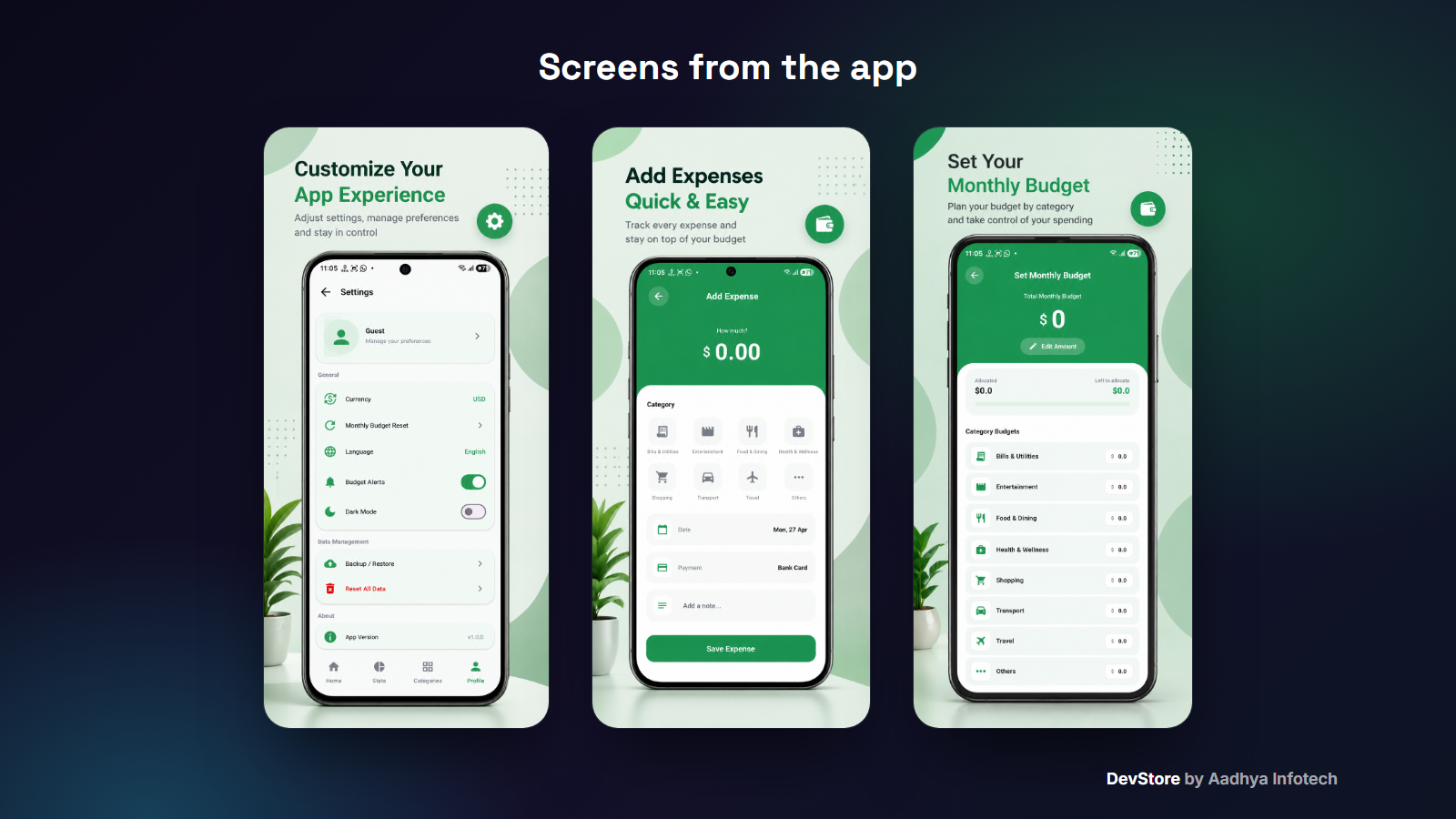
- Add expenses or income with amount, title, category, date and note
- Transaction history with search, Income/Expense filter, sort by latest, oldest or highest, and delete
- Clean Material 3 interface with shimmer loading states
Budgets and categories
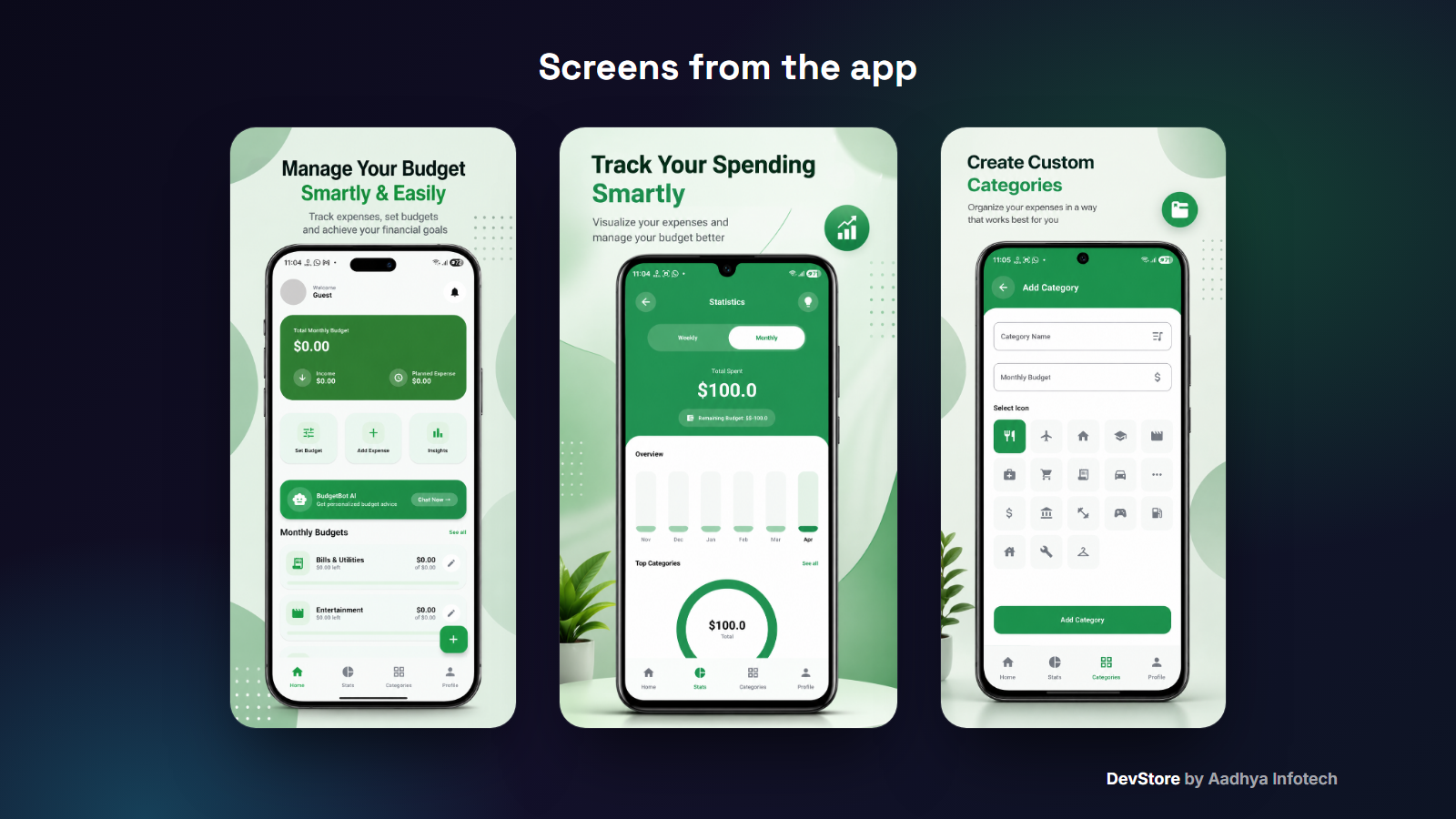
- Monthly budget planner that shows allocated and left-to-allocate amounts
- Custom categories with an icon picker and a budget per category
- Category detail with spent and remaining amounts, a weekly breakdown and a close-to-limit warning
- Reset spending and reset budget actions
Statistics, insights and reports
- Weekly and monthly spending bar chart, top categories, total spent and remaining budget
- Insights screen with category usage and smart tips generated on the device
- PDF export as a weekly, monthly or custom date-range report, shared through the Android share sheet
AI budget assistant
- "BudgetBot" chat powered by the Groq API (llama-3.3-70b-versatile)
- Finance-focused system prompt that keeps answers short and mobile-friendly
- Chat sessions saved in Room, with history, new chat and clear all
- Suggestion chips, plus a free-question limit that encourages upgrades
Personalization
- 7 languages: English, Hindi, Gujarati, Spanish, French, German and Japanese
- 7 currencies: USD, EUR, GBP, INR, JPY, CAD and AUD
- Animated splash, 4-page onboarding, and language and currency pickers on first launch
Monetization built in
- Google Mobile Ads next-gen SDK: app open, interstitial (configurable frequency), native and banner ads
- Meta Audience Network fallback for interstitial and native ads
- Ad revenue (paid event) logging to Firebase Analytics
- Google Play Billing 8 subscriptions: Basic (no ads, unlimited categories and PDF exports) and Pro (Basic plus unlimited AI chat)
- Paywall plans and features set by Remote Config, with restore and acknowledgement
- Optional daily paywall for free users, switched on or off from Remote Config
- Google Play In-App Review prompt
What's included
- Full Android Studio project source code (Kotlin, Gradle Kotlin DSL, version catalog)
- Detailed README covering setup, rebranding, Firebase, Groq, AdMob, Remote Config JSON, Play Billing product IDs, signing and troubleshooting
- Template files: google-services.json.example, local.properties.example and keystore.properties.example
- Translated string resources for 7 languages
- CHANGELOG and commercial LICENSE
Tech stack
- Kotlin 2.1.0, Android Gradle Plugin 8.8.0, Gradle 8.10.2, KSP
- Jetpack Compose (BOM 2024.06.00), Material 3, Navigation Compose
- MVVM + Clean Architecture (data / domain / presentation), Hilt DI
- Room 2.6.1, DataStore, OkHttp 4.12, Gson, Coil, Timber
- Firebase Analytics, Crashlytics and Remote Config (BoM 34.12.0)
- Google Mobile Ads SDK, Meta Audience Network 6.18.0, Play Billing 8.3.0, Play In-App Review
- minSdk 24 (Android 7.0), targetSdk / compileSdk 36
Requirements
- Android Studio Ladybug Feature Drop (2024.2.2) or newer, JDK 17+
- A free Firebase project (google-services.json)
- A free Groq API key
- For monetization: an AdMob account and a Google Play Console account
Setup in minutes
- 1. Open the project in Android Studio
- 2. Change the applicationId, app name and icon
- 3. Put your google-services.json in the app folder
- 4. Add GROQ_API_KEY to local.properties
- 5. Run. Debug builds show Google test ads automatically
- 6. Publish your ad units and paywall JSON in Remote Config, then build a signed AAB
Monetization
Ads: AdMob app open, interstitial, native and banner ads, with Meta Audience Network as a fallback. Everything is switched and configured from a Remote Config JSON, and premium subscribers never see ads.
In-app subscriptions: two Google Play subscription products (basic and pro), each with monthly and yearly base plans. Free users get 3 AI questions, 16 categories and 1 PDF export. Subscribers unlock more depending on the tier.
Support and updates
Need help? Contact us through the DevStore support page: https://www.aadhya-infotech.com/DevStore/contact. We can help with setting up the included features. When a new version of the package is released, it is published on this product page.
Please note: the package ships with no API keys, Firebase config or signing keys. You add your own. Backup and restore, budget alerts and profile saving are UI placeholders that you can build on. They are listed in the README.
Release history
- v1.9.110/1/2026
Budget Planner with AI Assistant v1.9.1: full source code release. See CHANGELOG.md in the package.