 1 / 4
1 / 4About
Overview
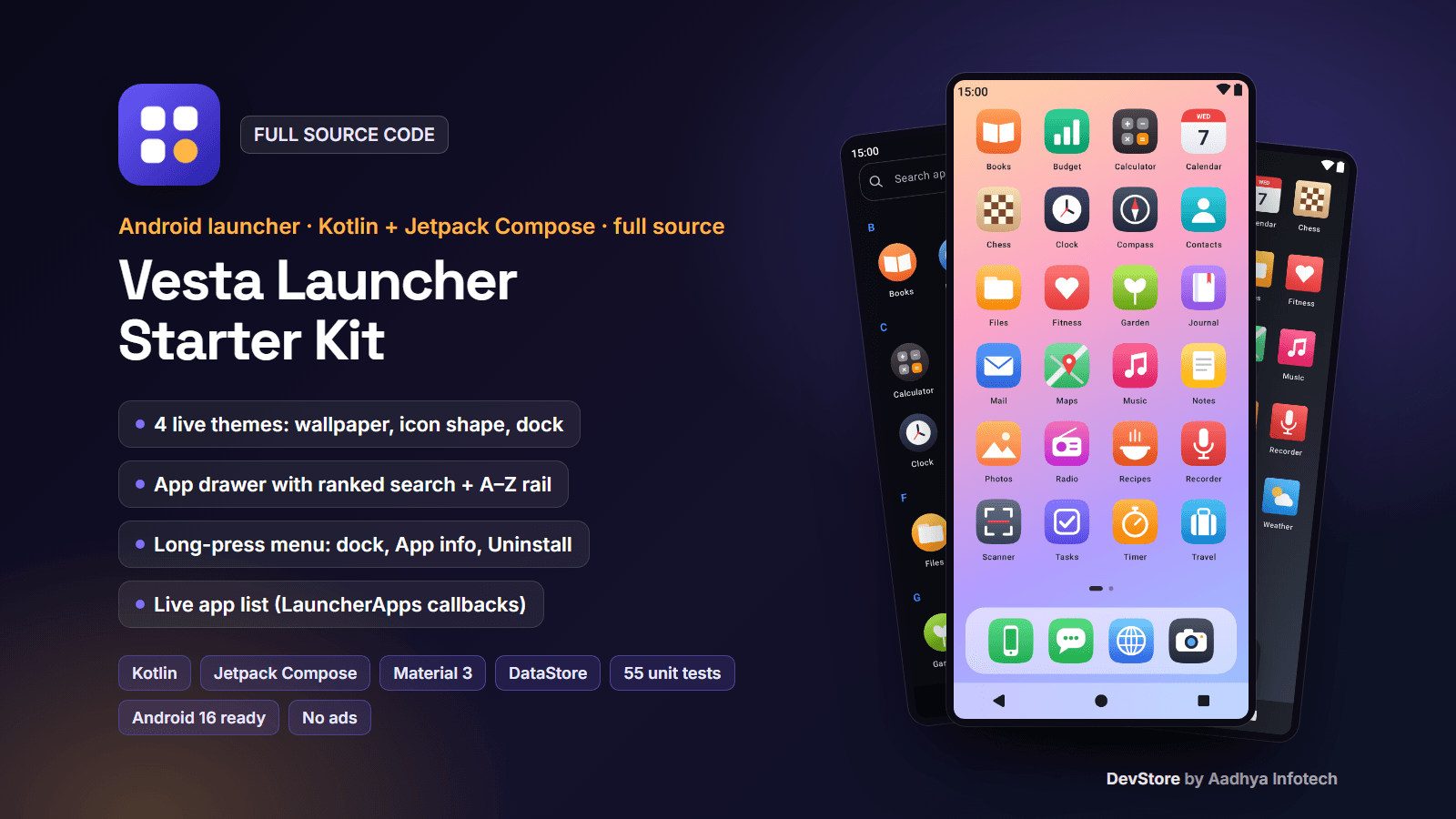
Vesta Launcher is a compact, working home-screen launcher starter kit for native Android, written in 100% Kotlin with Jetpack Compose, Material 3, ViewModel + StateFlow and DataStore. The phone can use it as its default Home app: it lists every installed app through Android's LauncherApps service, shows them on a themed home screen with a dock, an app drawer with search and an A–Z rail, and comes with four built-in themes that restyle everything live. Long-press an app for Add to / Remove from dock, App info and Uninstall; a short onboarding lets the user pick a theme and set the app as the default launcher.
It is sold honestly as a starter kit: about 3,300 lines of clean, commented code in 35 Kotlin files, with 55 unit tests, that you can read in an afternoon and build on. It is not a replacement for the big launchers: folders, widgets, icon packs and gesture settings are not included. Everything runs on the device: no backend, no login, no Firebase, no analytics, no ads, no in-app purchases and not even the INTERNET permission. It targets Android 16 (API 36) with the current Android Gradle Plugin 9 / Kotlin 2.3 toolchain.
Key features
Home screen and dock
- Two home layouts: all apps on swipeable pages (4 x 6 or 5 x 6 grid, page dots), or a clock home (12 / 24-hour aware) with a swipe-up app drawer
- Dock with up to 4 apps of the user's choice, in glass, solid, floating-pill or no-dock styles; Reset in Settings
- Apps open from the tapped icon with the theme's animation (scale-up, clip-reveal, fade or system default)
- Edge-to-edge layout (Android 15+), status-bar icons follow the wallpaper; Home button closes the drawer and menus, Back stays home
App drawer and search
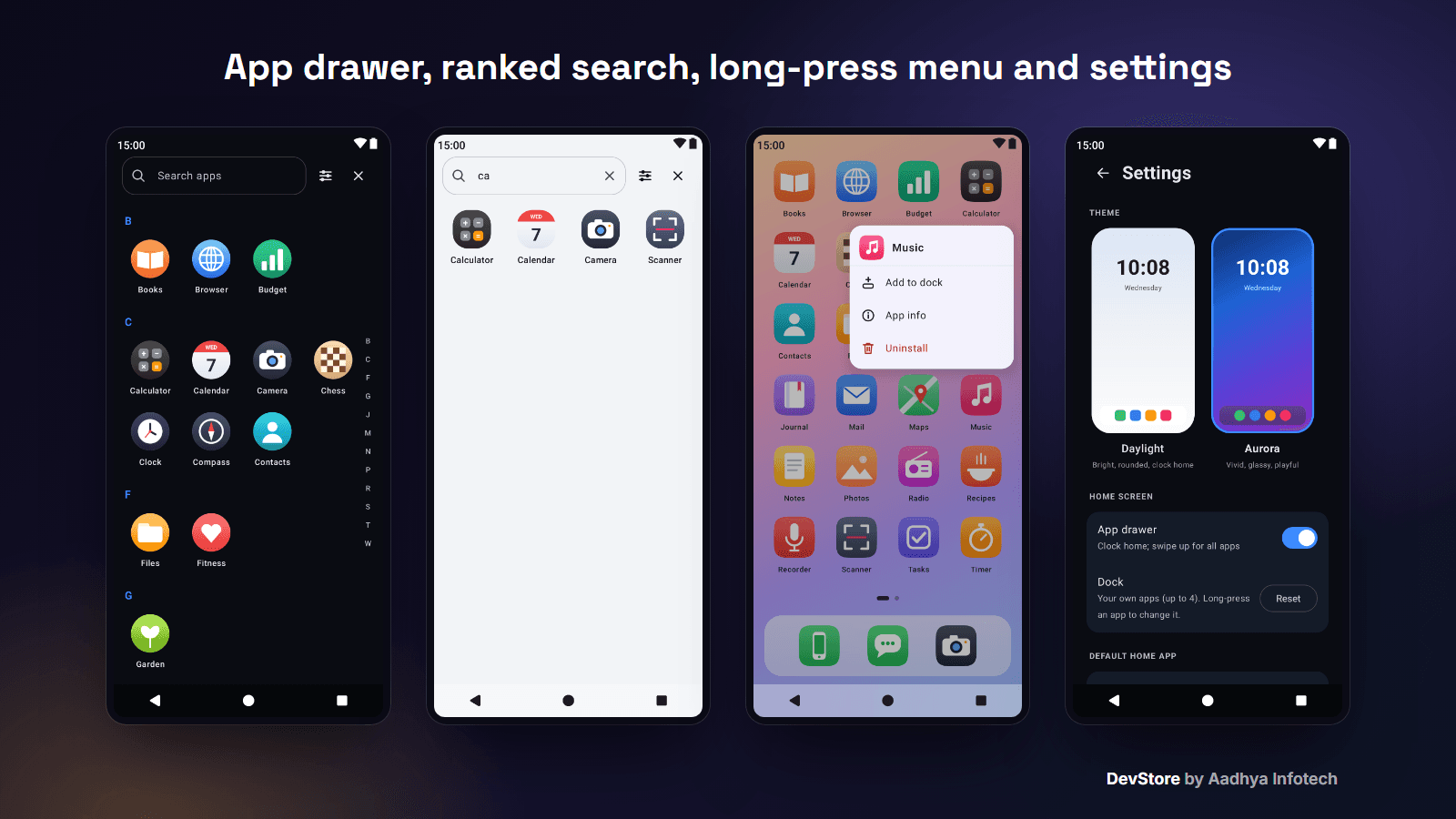
- Alphabetical grid with A–Z section headers and a fast-scroll letter rail; locale-aware sorting (accents sort with their letter)
- Search as you type, case- and accent-insensitive and ranked: name starts with the text, then a word starts with it, then anywhere, then initials ("cm" finds "City Maps"); the keyboard search key opens the first result
Long-press app menu
- Add to dock / Remove from dock, App info and Uninstall (the system dialog; hidden for pre-installed apps)
- Drawn next to the icon (above it, or below when there is no room); tap outside or Back to close
Live app list
- Built on LauncherApps: work-profile apps included with the system badge
- Refreshes by itself on install, uninstall, update, enable / disable (LauncherApps.Callback), on a language change and on work-profile changes
- Adaptive icons are drawn without the phone's own mask and clipped to the theme's shape; legacy icons sit on a white tile
- Package visibility through a <queries> MAIN/LAUNCHER intent: no QUERY_ALL_PACKAGES and no Play permission declaration needed
Themes
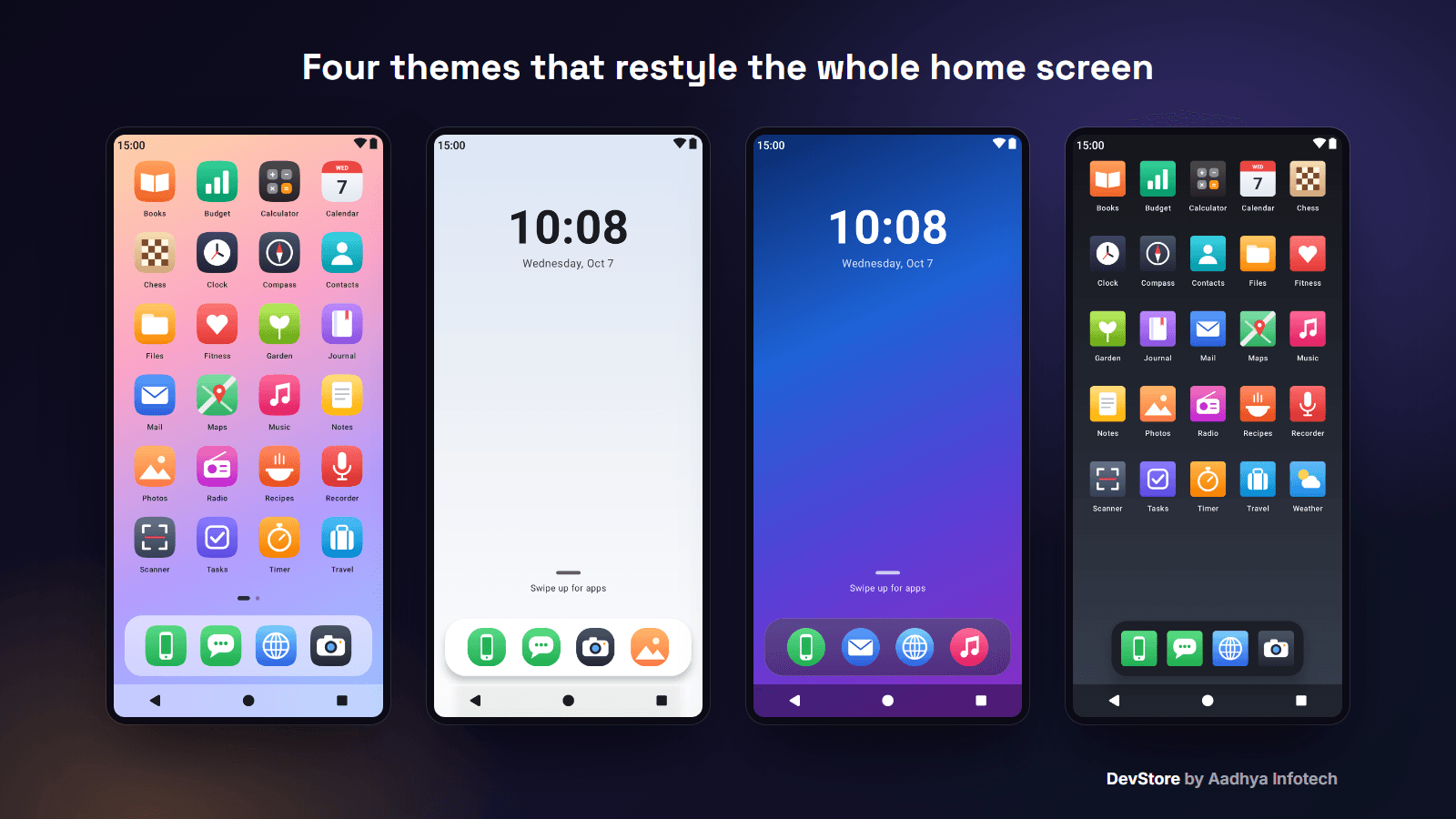
- Pastel Glass (squircle icons, paged home, glass dock), Daylight (rounded squares, clock home, solid dock), Aurora (dark, round icons, glass dock) and Graphite (dark, square icons, 5 columns, floating dock)
- Each theme sets the wallpaper (gradients drawn in code), icon shape and size, grid, dock style, colours, font and open animation; switching is instant
- Add a theme with one block of code (documented); unit tests check text contrast on every theme
Onboarding and settings
- Welcome, theme picker with live preview cards and set as default launcher (system role dialog on Android 10+, Home settings on Android 8–9, Skip for now)
- Settings: theme, App drawer switch, dock reset, default-launcher status, version and tips
What's included
- Full Android Studio project (Kotlin, Gradle Kotlin DSL, version catalog), 35 Kotlin source files, about 3,300 lines
- 55 JVM unit tests for the logic: sorting, search ranking, A–Z sections, pages, dock model, settings, theme contrast, squircle maths, icon bounds and menu placement
- Detailed README: setup, rebranding, how to add themes, the set-as-default flow, Google Play policy and Data safety notes, monetization advice, signing, troubleshooting and known limitations
- Templates: keystore.properties.example and local.properties.example
- Original launcher icon (adaptive, themed and legacy PNGs) and a 512 px Play Store icon; original UI icons drawn in code
- CHANGELOG, commercial LICENSE and ASSETS_LICENSES
Tech stack
- Kotlin 2.3, Android Gradle Plugin 9.2.1, Gradle 9.4.1
- Jetpack Compose (BOM 2026.02), Material 3, Activity Compose, Lifecycle ViewModel, Coroutines + StateFlow
- DataStore Preferences, LauncherApps, RoleManager (ROLE_HOME)
- minSdk 26 (Android 8.0), targetSdk / compileSdk 36; R8 release build (about 1.5 MB APK)
Requirements
- A recent Android Studio with AGP 9.2 support, JDK 17+ (the bundled JBR works)
- No Firebase project, no server and no API keys needed
- For publishing: a Google Play Console account and a privacy policy page
Setup in minutes
- 1. Open the project in Android Studio and press Run
- 2. Pick a theme, tap "Set as default" and press Home
- 3. Change the applicationId, app name and icon (the name "Vesta Launcher" is a placeholder)
- 4. Edit or add themes in ThemeRegistry.kt, add your keystore to keystore.properties and build a signed AAB
Monetization
Ads: none in this app (no ad SDK is included).
In-app purchases: none in this app. The README suggests a one-time "Pro" unlock (for example extra themes) with Google Play Billing and explains why ads don't belong on a launcher's home screen.
Support and updates
Need help? Contact us through the DevStore support page: https://www.aadhya-infotech.com/DevStore/contact. We can help with setting up the included features. When a new version of the package is released, it is published on this product page.
Please note: this is a starter kit and it is not published on Google Play, so there is no live listing to try; the screenshots show the app's real screens with fictional apps and placeholder icons drawn in code. Not included: folders, widgets, icon packs, gesture settings, drag-and-drop home editing (the home order is alphabetical, the dock is user-chosen), app shortcuts, notification dots, hidden apps, the system wallpaper, web search and tablet / landscape layouts. English only. All of this is listed in the README.
Release history
- v1.1.010/7/2026
Vesta Launcher Starter Kit (Kotlin + Compose) v1.1.0: first DevStore release with a long-press app menu, editable dock, ranked drawer search, a fourth theme, original icon, Android 16 target, R8 release build, 55 unit tests and several bug fixes (blurred dock icons, double-masked icons). See CHANGELOG.md in the package.