 1 / 3
1 / 3About
Overview
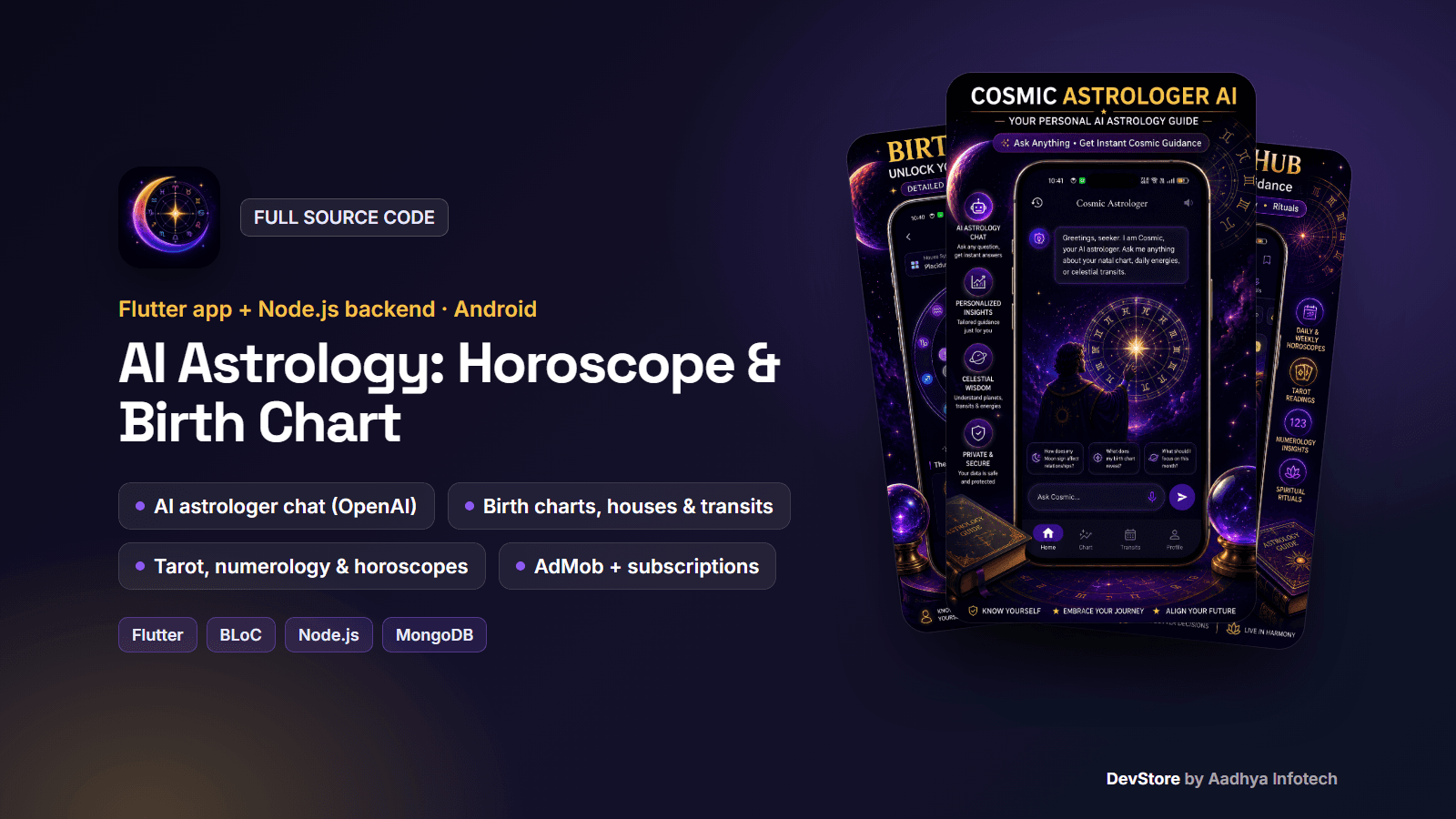
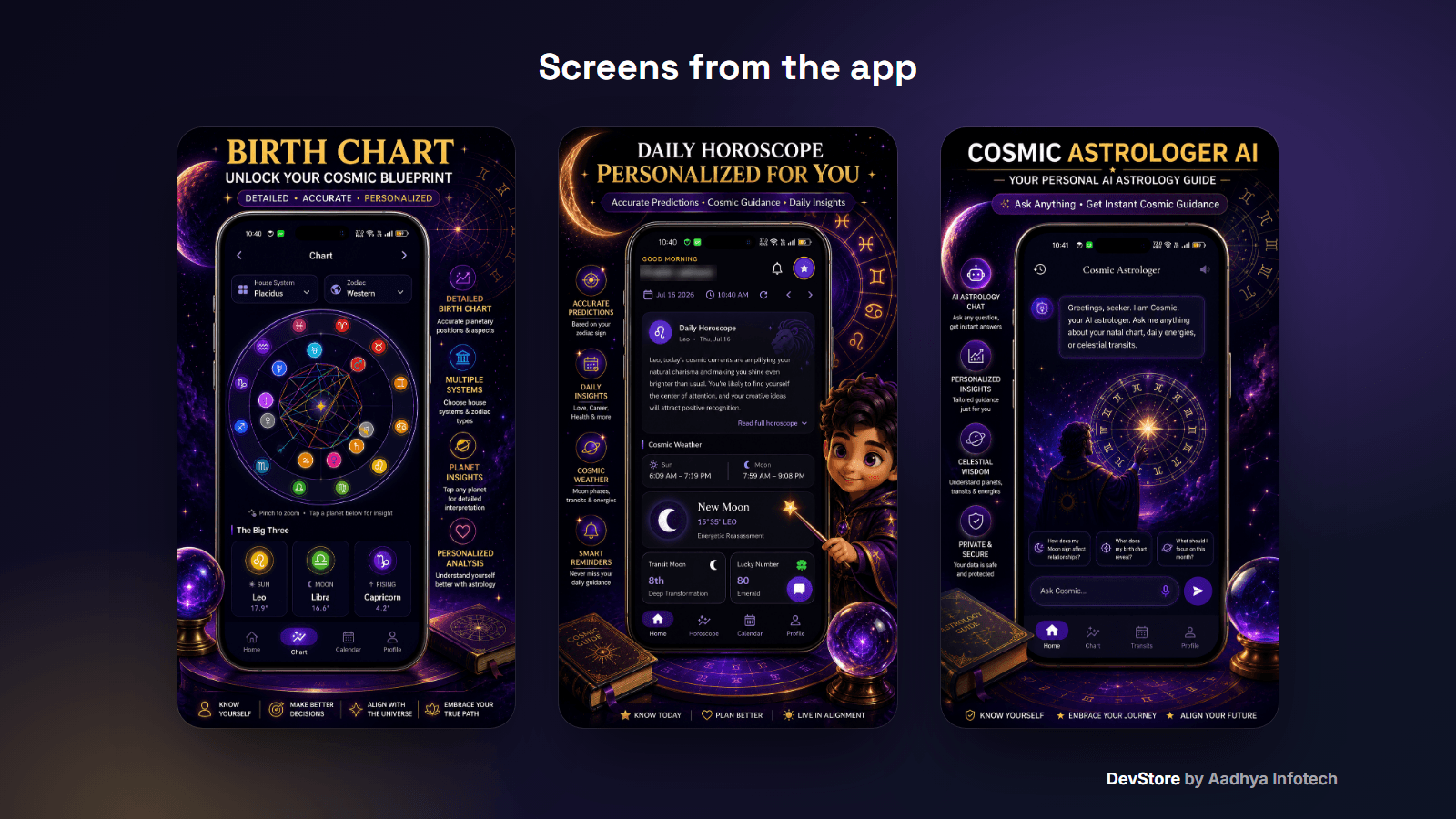
Cosmic AI is a complete AI astrology product: a Flutter app and the Node.js / Express + MongoDB backend that powers it. Users create a birth chart, read daily and weekly horoscopes, chat with an AI astrologer, draw AI-interpreted tarot spreads, check compatibility, follow transits, keep a journal and learn astrology with courses, a quiz and an AI tutor. Planet positions and houses are calculated on your own server with astronomy-engine (MIT), and all AI text comes from OpenAI on the server, so no API key ships in the app. It earns money with AdMob ads and Google Play subscriptions, both remote-controlled. This is the code base of a live Google Play app, cleaned and documented so you can rebrand it, deploy the API and publish.
Key features
Birth chart & astrology engine
- Birth setup with city search (automatic time zone and UTC offset) or GPS location, birth time or "time unknown"
- Server-side engine on astronomy-engine (MIT): 12 bodies incl. the true lunar node and Chiron, houses, Ascendant, MC and aspects, about 1 ms per chart, no data files to install
- Western (tropical) or Vedic (sidereal, Lahiri) zodiac and Placidus, Koch, Equal or Whole Sign houses
- Validated against Swiss Ephemeris on 545 charts: max 0.0053° for planets and nodes, 0.0019° for house cusps; signs and house placements matched in 100% of cases
AI features (OpenAI)
- AI astrologer chat with streaming answers (Server-Sent Events); the user's chart, today's transits and energy score are injected into the prompt on the server
- Conversation history, suggested questions and a free daily question quota (5/day by default) with paywall
- AI tarot: 3-card reading for the user's question, follow-up chat and reading history, plus an AI daily card
- AI horoscopes for all 12 signs, generated daily and weekly by cron jobs and cached in MongoDB
- AI compatibility summary, angel-number meanings, journal prompt of the day, monthly journal reflection, daily quiz and an AI tutor in Learn (gpt-4o-mini by default: roughly US$0.30–0.60 per 1,000 chat messages at list prices)
Daily guidance & calendar
- Home dashboard: daily horoscope and daily tarot detail screens, cosmic weather (sun/moon times, moon phase, energy score), current planetary hour with countdown, lucky number and colour
- Cosmic calendar with day-energy scores and a day detail screen, moon phases and lunar events with eclipse flags, monthly ephemeris table and a best-day planner
- Transits: live transits to the natal chart with impact level, 12-month timeline and planetary returns
Readings, compatibility & community
- Readings hub: horoscopes, tarot, numerology profile, moon rituals and angel numbers
- Compatibility (synastry) for romantic, friendship or work relationships with scores and an AI summary; shareable invite link
- Journal with moods and tags; Community feed with photo posts (Cloudinary), likes, comments and a live event card
- Profile with saved charts, saved entries and badges; Light, Dark and Cosmic themes
Accounts, notifications & backend
- Sign in with e-mail + password, Google (Firebase Auth, token verified by the API) or as a guest; export my data and delete account
- Push notifications (FCM) for the daily horoscope, moon events and retrogrades, plus an in-app notification inbox
- 87 REST paths with Swagger UI, JWT auth, helmet, CORS, rate limiting and NoSQL-injection protection; seed scripts, Jest unit tests and a Postman collection
- In-app review prompt, Android in-app update check, Firebase Analytics and Crashlytics
What's included
- mobile/: full Flutter source (BLoC/Cubit + go_router, AdMob engine, subscriptions), assets, Android project and iOS project
- backend/: full Node.js source (routes, controllers, Joi validators, Mongoose models, astrology engine, OpenAI service, cron jobs, seed data, unit tests)
- README with step-by-step setup for both parts: environment variables, MongoDB, OpenAI key and cost, the astrology engine and its accuracy, Firebase and Google sign-in, Remote Config, ads, subscriptions, pointing the app at your API, deployment with PM2 + Nginx + HTTPS, signing and troubleshooting
- A complete .env.example, a key.properties signing template, an ad-config template with Google test IDs, a sample cities CSV, a Postman collection, LICENSE and CHANGELOG
- All secrets replaced with placeholders; one config file for the app (API URL, Google client id, legal URLs); builds out of the box with a debug-key fallback
- Only permissive licences (MIT, BSD, Apache-2.0, ISC); no GPL/AGPL code or data
Tech stack
- App: Flutter 3.38+ (tested on Flutter 3.47.4), flutter_bloc, go_router, dio (JSON + SSE streaming), flutter_secure_storage
- Firebase: Auth (Google), Cloud Messaging, Remote Config, Analytics, Crashlytics
- Monetization: google_mobile_ads 9, in_app_purchase (Google Play Billing base plans), in_app_review, in_app_update
- Backend: Node.js 18+, Express 4, MongoDB + Mongoose 8, astronomy-engine (MIT), OpenAI SDK (gpt-4o-mini by default), firebase-admin, Cloudinary, node-cron, Swagger, Jest
- Android: AGP 8.11, Kotlin 2.2, Gradle 8.14, Java 17
Requirements
- Flutter SDK 3.38 or newer, Android Studio or VS Code, JDK 17
- Node.js 18+ and a MongoDB database (local or the free Atlas tier); no native modules or ephemeris files needed
- An OpenAI API key (pay-as-you-go)
- Your own Firebase project and AdMob account; a Google Play developer account for subscriptions; optional Cloudinary account for photo uploads; a Linux VPS or PaaS for the API
Setup in minutes
- Backend: npm install, copy .env.example to .env (MongoDB URI, JWT secrets, OpenAI key), npm run seed, npm run dev
- App: flutter pub get, flutterfire configure, enable Google sign-in in Firebase
- Run on the emulator against your local API (debug builds show Google test ads), or pass --dart-define=API_URL=https://api.yourdomain.com
- Change the package id, name and icon, publish the Remote Config parameters, create the subscription, add your keystore and run flutter build appbundle
Monetization (ads/IAP)
- AdMob: App Open (launch and resume), interstitials on screen navigation with a frequency cap, small native ads on 9 screens and banners on the main tab bar and chat; subscribers see no ads
- Ad unit IDs and switches come from the Remote Config parameter ads_service (template with Google test IDs included); replace the test AdMob App ID in the manifest with your own
- Subscriptions: "Cosmic Pro" monthly and yearly base plans through Google Play Billing, store prices on the paywall and a Restore button; plans come from Remote Config (iap_plans) and an isPro switch can turn the paywall off for everyone
- Pro removes ads and the daily AI chat limit and unlocks the crown-marked sections (compatibility, transits, journal, Learn courses and quiz)
- The Pro status is stored on the device: there is no server-side receipt validation yet (the README explains how to add RevenueCat or server validation; a RevenueCat webhook endpoint is already in the API)
Support & updates
Support is provided through the Aadhya Infotech DevStore: https://www.aadhya-infotech.com/DevStore/contact. Bug-fix updates for this package are published on the DevStore. Good to know: the app UI is English only; the birth chart's Aspects tab currently shows client-side placeholder aspects (the API already calculates real aspects); the chat microphone button has no speech-to-text; the compatibility invite web page is not included; Chiron is available for 1800–2200. Astrology and AI content is for entertainment.
Release history
- v1.0.310/3/2026
AI Astrology & Horoscope App v1.0.3: full Flutter + Node.js source code release with a permissive (MIT) astrology engine. See CHANGELOG.md in the package.